Every electronics project reaches the same turning point: the moment the circuit has to leave the breadboard and become a board someone can actually build, test, and ship. This is where most projects are won or lost. A footprint that does not match its datasheet, a ground plane broken by a careless trace, or a signal routed straight past a switching node can send a design back for a respin before it ever powers up. Understanding what is PCB design is really about one thing: turning a circuit idea into a physical board that a factory can manufacture and a bench can verify.
To design a PCB, define what the board has to do, capture the schematic with real orderable parts and run an electrical rule check, set up the board outline and layer stackup, place components by function, route power and signals over a solid ground plane, run a design rule check, and export the Gerber, drill, and bill-of-materials files a fabricator needs.
The sequence below walks through each stage, with the single check at each one that keeps a first board from turning into a second order.
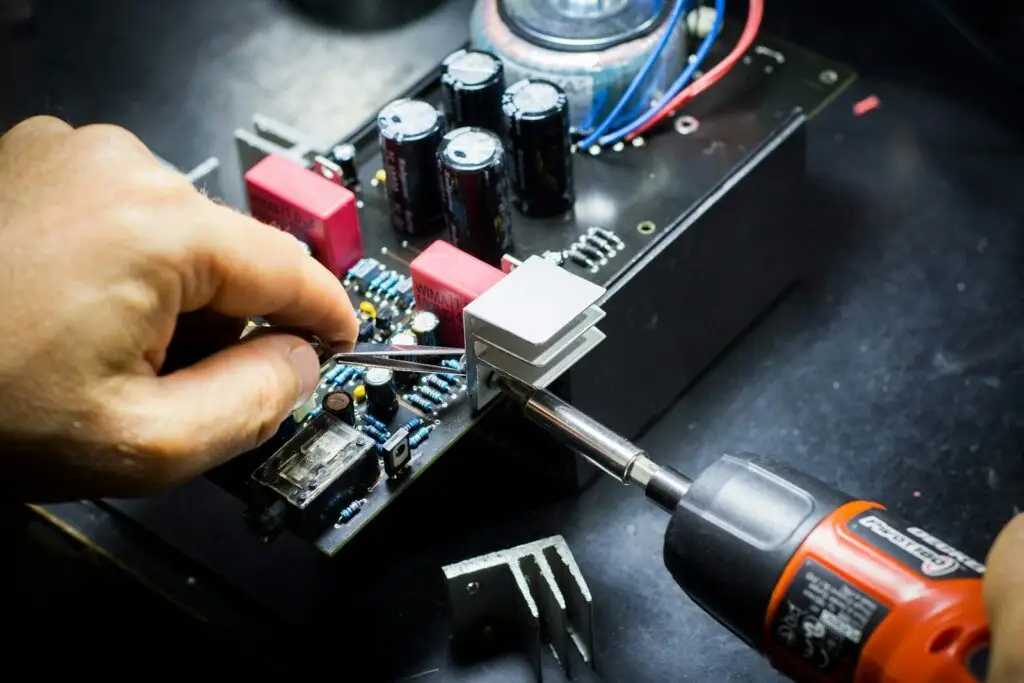
How to design a PCB step by step
The process runs in ten steps: requirements, schematic capture, part vetting, board setup, component placement, routing, design rule check, silkscreen and 3D review, file export, and finally order and bring-up.
Ten steps sounds like a lot, but they group into three phases. The first decides what the board is, the second decides where everything goes, and the third proves the design is buildable. Skipping ahead is the most common cause of a failed first board: placing parts before the design rules are set, or routing before the schematic has been checked, both create problems that only appear after fabrication, when they are expensive to fix.
| Step | What you do | The check that saves a respin |
|---|---|---|
| 1. Requirements | List the power source, controller, interfaces, connectors, size, and environment | Can you name every connector and its pinout? |
| 2. Schematic capture | Draw the circuit as symbols and nets using real parts | ERC is clean and every power pin sits on a net |
| 3. Part vetting | Confirm stock, price, package, and footprint | No footprint goes unchecked against its datasheet |
| 4. Board setup | Set layer count, outline, and stackup | Design rules are entered before the first part is placed |
| 5. Placement | Group parts by function | Every decoupling capacitor sits near the pin it serves |
| 6. Routing | Power wide and first, then signals | No return path is broken under a critical trace |
| 7. Design rule check | Compare the layout against the fabricator’s limits | Zero errors, and every warning is understood |
| 8. Silkscreen and 3D | Add reference designators, polarity, and pin 1 | The 3D view shows no part collisions |
| 9. File export | Produce Gerber, drill, BOM, and pick-and-place files | The Gerbers are opened in a viewer before ordering |
| 10. Order and bring-up | Fabricate, assemble, then test | Supply rails are measured before everything else is powered |
Define what the board has to do
The design starts with a written requirements list, not with software. Write down the power source, the main controller and any other integrated circuits, the interfaces the board uses, every connector and its pinout, the maximum size and mounting points, and the environment it will operate in.
For anyone new to PCB board design, this list feels like busywork, and it is the step that saves the most rework. It decides the regulator, the layer count, and half of the placement. A board that runs from a battery needs different power design than one fed from a fixed rail, and a board talking over a fast serial bus needs a ground plane that a simple sensor board does not. The categories worth writing down are:
- Power source. USB, battery, or a fixed supply rail, plus the current each one has to deliver.
- Processing. The controller or ICs that define the board’s logic and its pinout.
- Interfaces. Serial buses, USB, or wireless links, and the speeds they run at.
- Connectors. Every one, with its pinout, because a connector forgotten here becomes a board edge that has to be redesigned.
- Size and mounting. The outline, the hole positions, and the clearance the enclosure needs.
- Environment. Temperature range, vibration, and moisture, since these rule out some materials and layouts.
Ten minutes spent on this list removes more respins than any single design rule applied later.
Capture the schematic and check it
Draw the circuit as symbols and nets in an ECAD tool, use real orderable parts from the start, label power and ground properly, then run the electrical rule check and resolve everything it flags.
The schematic is the blueprint, and if it is wrong, layout only makes the mistake larger and harder to find. Good PCB schematic design comes down to two habits. The first is using real parts rather than generic symbols, so every component is tied to an orderable part number, a symbol, and a footprint from the beginning; a generic symbol feels faster and costs that time back twice.
The second is drawing for a reviewer, not for yourself: group related components into blocks, label nets clearly, use proper power and ground symbols instead of stray text, and place decoupling capacitors where they belong in the logic rather than leaving them to the layout stage.
When the drawing is done, run the electrical rule check. It flags unconnected pins, conflicting drivers, and nets that go nowhere, which are the classic first-board bugs. Every flag should be understood and resolved before layout begins. This is also the point to assign reference designators and to confirm each symbol’s footprint matches the real land pattern in the datasheet.
Choosing an ECAD tool
Almost every ECAD tool follows the same flow: schematic capture, footprint assignment, layout, and manufacturing output. The choice comes down to how much complexity the project carries.
| Tool category | Strengths | Watch-outs |
|---|---|---|
| Open-source desktop suite | Free, no board size limits, large community libraries, 3D viewer | Real learning curve |
| Free browser-based tool | Fastest start, parts library built in | Project and cloud limits, less control |
| Commercial high-end platform | Multi-layer and HDI design, advanced simulation, mechanical integration | High cost, overkill for simple boards, steeper learning curve |
For a first board, a free tool is enough. The skill that transfers between tools is reading the datasheet and getting the footprint right, not memorising menus.
Set up the board, then place components
Choose the layer count and stackup, draw the board outline from the mechanical constraints, then place parts by function: connectors at the edge, decoupling next to the pins they serve, and every signal layer next to a solid ground plane.
Two layers handle most simple boards. A four-layer stack becomes worthwhile once the board carries high-speed signals, mixed analog and digital circuits, or a tight power budget. The common four-layer arrangement is signal, ground, power, signal, and it works because every signal layer sits next to a reference plane. That plane defines the return path for every trace and sets a controlled impedance, which is what keeps fast signals clean.
Generic design requirements such as conductor spacing, clearance, and board materials are laid out in the IPC-2221 generic standard on printed board design, and the fabricator’s own capability sheet sets the tighter numbers that actually apply. Before any part is placed, the board outline and design rules should be entered, because those rules are what the layout is measured against later.
Placement then follows function rather than convenience:
- Group the circuit into blocks: power, analog, digital, radio, and interface.
- Align components along the signal flow, from input to output, to keep traces short and readable.
- Keep decoupling capacitors as close as possible to the power pins they protect.
- Put connectors at the board edge, with room for a plug or a screwdriver.
- Separate noisy switching circuits from sensitive analog ones, physically and on the ground plane.
- Distribute heat-generating parts rather than clustering them.

Route traces and keep signal integrity under control
Route power and ground first and wide, keep every high-speed signal over an unbroken reference plane, then route the remaining signals. Set trace width from the current a trace carries, not from habit.
Routing order matters more than routing speed. Power and ground loops go first, because they are wide, they want short return paths, and they are the hardest to fit once the board is crowded. High-speed and impedance-controlled signals go next, while space is still open, followed by everything else. Every trace has a return current flowing in the plane beneath it, and that return current wants to follow the trace directly. Break the plane with a poorly placed slot or via field and the return current detours, which shows up as noise, ringing, or failed emissions testing.
Trace width is a function of current, not a default. A trace carrying a heavy current needs more copper to avoid a temperature rise, while a signal trace carries almost nothing and can stay thin. Standard tables and built-in calculators give the width for a given current and copper weight, and a fabricator’s minimum line width sets the floor. Beyond that, a few habits keep signals clean: avoid sharp corners on fast or high-current nets, keep crystal and radio-frequency traces short, match the length of differential pairs, and place stitching capacitors where a signal switches between reference planes.
What is the 3W rule for PCB design?
The 3W rule sets the centre-to-centre spacing between two parallel traces at no less than three times the trace width. It is a spacing guideline for cutting crosstalk between adjacent signal traces, and it typically reduces coupling by around 70 percent compared with tightly spaced routing.
Crosstalk comes from the capacitance and mutual inductance between neighbouring traces, and both fall as the gap between them grows. If a trace is 0.2 mm wide, the 3W rule calls for 0.6 mm centre-to-centre spacing, which leaves 0.4 mm of bare board edge to edge. The rule applies mainly to the traces that care about interference: high-speed clocks, data buses, differential pairs, and sensitive analog lines. For clock nets and fast serial interfaces, 4W or 5W spacing is often used instead, and very sensitive signals can be flanked by grounded guard traces tied to the reference plane with vias.
The 3W rule is a starting point, not a law. Its effect depends on the stackup, because a four-layer board with a nearby reference plane behaves differently from a two-layer board where the plane sits far away. It also interacts with impedance requirements, since pushing traces apart to satisfy 3W can change the impedance of a controlled line. At high speed, simulation settles the question the rule only frames.
How can I design my own circuit board as a beginner?
Start with a small circuit, learn one tool properly, and design a few simple boards before attempting a complex one. A blinking LED, a button and reset circuit, or a small power board teaches the same steps a large design uses, at a size where mistakes are cheap.
The fastest way into PCB learning is repetition on small boards, not study on large ones. Free tools remove the cost barrier, and the tutorials that ship with them cover the whole flow from schematic to output. A useful order is to redraw an existing reference design first, then modify it, and only then design something original.
Reading published PCB design examples, keeping a PCB design book or two on the desk for the standards and formulas, simulating the analog parts before committing to layout, and reviewing every layout against its schematic all build the habits that separate a working first board from a frustrating one. Each finished PCB circuit teaches more than the one before, which is why beginner projects are usually simple by design.
Design for manufacturing before you send the files
Before exporting anything, check the layout against the fabricator’s real capabilities: minimum trace width and spacing, annular ring, solder mask clearance and slivers, drill aspect ratio, board edge clearance, and the panel layout.
A design that passes its own rule check can still fail at the factory if it ignores what the process can actually produce. The fabricator’s capability sheet is the authority here, since designing at the absolute minimum leaves no margin for normal process variation. A few items deserve a deliberate pass before the files go out:
- Fiducials. At least three, near the board corners, each with a copper-free clearance so automated assembly can align.
- Panelization. Multiple boards joined with scoring or tabs, with a process border wide enough for the assembly line to grip.
- Standard thickness. Common board thicknesses cost less and move faster through PCB manufacturing.
- Solder mask. Clearance and sliver rules keep the mask from flaking off between fine pads.
- Test points. Accessible points on critical nets make bring-up and repair possible.
- Documentation. A clear bill of materials with part numbers and alternates, plus notes on stackup and surface finish.
Assembly adds its own rules on top of fabrication, and the PCB assembly design guide covers component spacing, pad design, and polarity marking in more detail.
Run DRC and export the fabrication package.
Run the design rule check until it reports zero errors, then export the Gerber layers, the drill file, the bill of materials, and the pick-and-place data as one package.
The design rule check compares the finished layout against the constraints set at the start: trace spacing, minimum width, via sizes, and copper-to-edge clearances. It should finish with no errors and no unexplained warnings. Reviewing each layer on its own, then checking the 3D view for part collisions and connector access, catches most of what remains.
The output package then tells the factory everything it needs: Gerber files for the copper, mask, and silkscreen layers; a drill file for every hole; a bill of materials for sourcing; and pick-and-place data for assembly. Loading the Gerbers into a viewer before ordering is a cheap final check, and a short note on stackup and surface finish removes the most common cause of a production delay. Once the boards arrive, bring-up follows the same discipline as design: measure the supply rails before powering the rest of the circuit, then test each block in turn.

Frequently asked questions
These three questions come up most often from teams planning a first board or a first production run.
How long does it take to design a PCB?
It depends almost entirely on complexity. A simple two-layer board with a handful of parts can be laid out in an afternoon once the schematic is settled, while a dense multilayer board with high-speed interfaces can take weeks of placement, routing, and simulation. For a first board, most of the time goes into learning the tool and getting footprints right, not into the layout itself.
Can I design a PCB without an engineering degree?
Yes. Free tools, built-in libraries, and step-by-step tutorials are enough to take a beginner from a schematic to a working board. The parts of the process that reward formal training are the ones where physics dominates, such as high-speed signal integrity, controlled impedance, and analog noise, and those usually arrive after a few simpler boards rather than before them.
What affects the PCB price?
Board size, layer count, order quantity, base material, surface finish, minimum feature size, and turnaround time all move the price. Larger boards use more material, extra layers add process steps, and tighter line widths demand more precise etching. Design choices made early, such as layer count and feature size, lock in much of the cost before the board is ever quoted, which is why a design that respects standard process limits usually costs less than one pushing every dimension to the minimum.