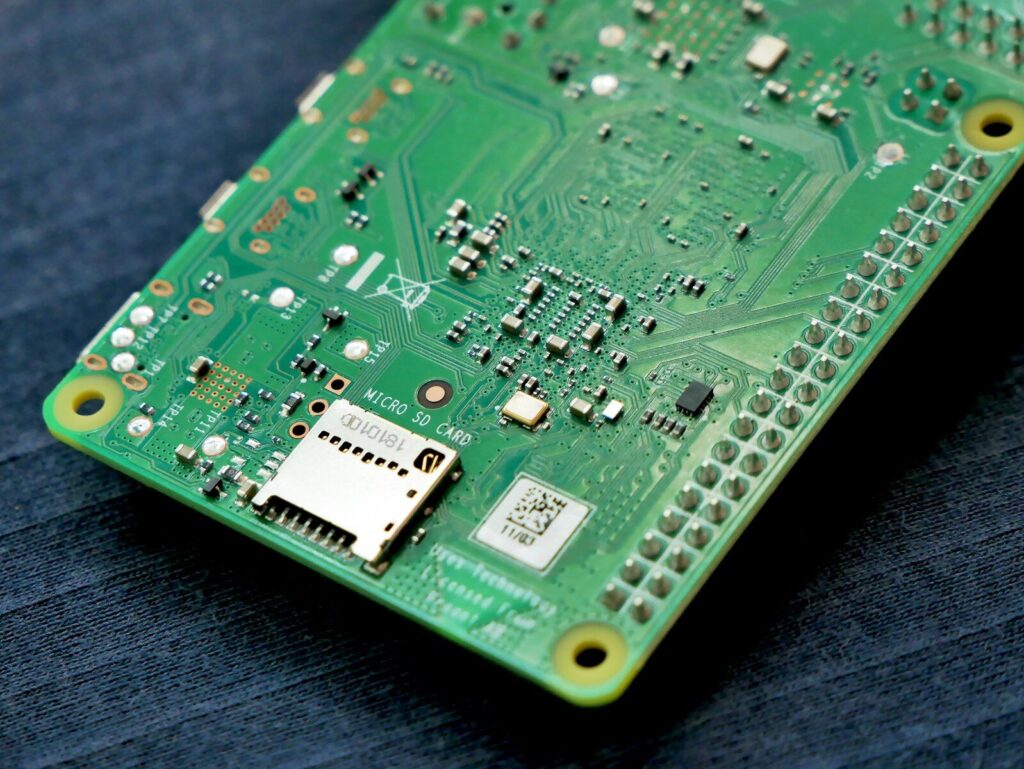
A bare PCB board looks like a map with no legend. Hundreds of parts sit on a coated surface, joined by thin copper lines, and almost every one of them carries a short printed code. Anyone who repairs, inspects, quotes, or designs PCB electronics meets the same moment: the board is in the hand, and the question is what any of it means. There is no need to guess. The markings follow conventions that custom PCB manufacturing applies on every panel, and those conventions are readable once you know what to look for.
Reading a PCB board means decoding three things at the same time: the physical stack, made up of substrate, copper, solder mask, and silkscreen; the printed labels, such as reference designators R12 or U3 along with polarity and pin 1 marks; and the copper routing, read through trace width, spacing, and vias. Once you know the order to read them in and what each mark stands for, the board stops looking random and starts looking like a circuit you can follow.
The sections below follow that order, from what the board is made of to how to trace it when no documentation exists.
What a PCB board is made of
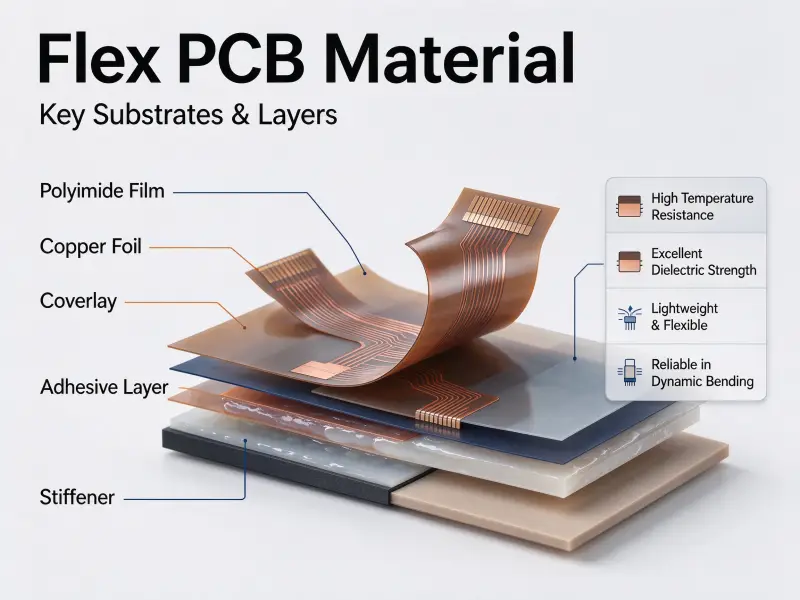
A PCB board is a stack of alternating conductive and insulating layers. The substrate gives the assembly its shape and strength, the copper carries power and signals, the solder mask protects the copper underneath, and the silkscreen prints the labels you read. Everything visible from above is only the top of that stack.
This matters because most beginner mistakes come from treating every visible mark as copper. A printed outline is not a conductor. A white line is not a wire. Reading a board accurately starts with separating what conducts from what only describes.
The layers are described in the same order across the industry as the board is built: substrate, copper, mask, and legend. Each one leaves a different fingerprint on the finished surface, which is what makes the table below usable in practice.
| Layer | What it does | How it looks on the board |
|---|---|---|
| Substrate (FR-4 and similar) | Mechanical support and insulation between copper layers | The pale material visible at the board edge |
| Copper foil | Carries signals, power, and ground | Traces, pads, and large pours, usually under the mask |
| Solder mask | Insulates copper and prevents solder bridging | The colored coating, with openings where solder goes |
| Silkscreen | Prints labels, outlines, polarity, and orientation marks | White, yellow, or black text and symbols |
| Surface finish | Protects exposed pads and helps solder wet | Gold, silver, or tin color on exposed pads only |
Layers you can see and layers you cannot
A single-sided board has copper on one face. A double-sided board has copper on both, joined by plated holes. A multilayer board sandwiches additional copper layers inside the substrate, connected by vias, and that is where the surface stops telling the whole story. Inner layers carry power planes, ground planes, and dense signal routing, and none of it is visible from outside.
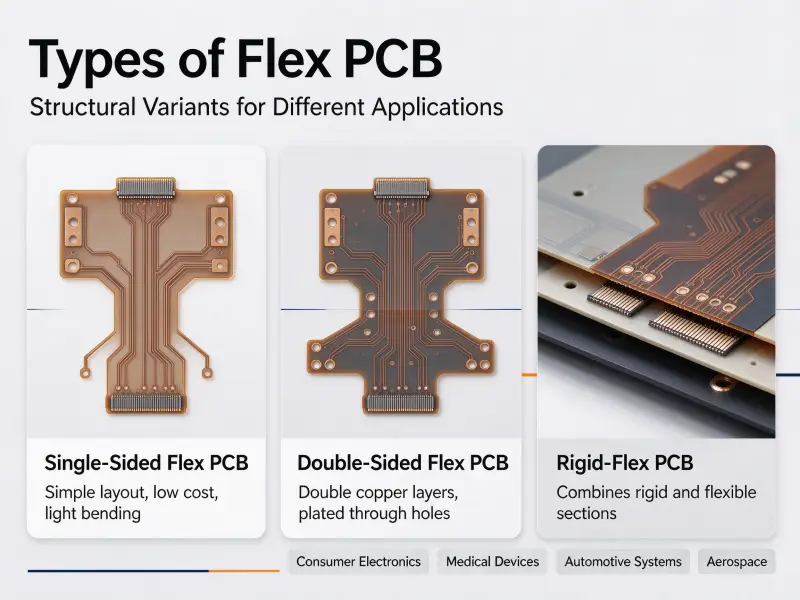
You can estimate layer count without cutting the board. Look at the edge under magnification and count the alternating copper and dielectric bands. Failing that, count vias: a dense field of small vias that appear to go nowhere usually means signals are dropping to inner layers to cross under other routing. This is also where the different types of PCB separate. Rigid boards dominate industrial equipment, flexible boards bend inside tight enclosures, rigid-flex combines both, and metal-core or ceramic constructions appear where heat removal matters more than cost.
How to understand PCB layout
Understanding a PCB layout is a matter of order rather than effort. Read in five steps: find the outline and mounting holes, locate the connectors, follow power and ground, identify the main integrated circuits, and then trace the remaining signals. Each step narrows what the next one can mean, so you never have to hold the whole board in your head at once.
The temptation is to scan everything at once. That approach fails on any board with more than a few dozen parts, because the eye has nowhere to start and no way to rank importance. A fixed reading order solves that by giving every detail a place to sit.
Start with the board outline and connectors.
The outline defines the physical limits: board edge, slots, cutouts, mounting holes, and the position of every connector. Read it first because nothing else can sit outside it. Connectors are the entry and exit points of the system, so they tell you what the board is for before you identify a single component. A board with a power jack, a data port, and a ribbon header is doing something different from one with two antenna feeds.
Note which way each connector faces. One that must line up with an opening in an enclosure is positioned early in the design and rarely moves, which makes it a reliable landmark for everything else.
Follow power and ground before small signals.
Power and ground are the backbone. Trace the path from the input connector through the fuse, the protection devices, and the regulator, then find where the regulated rail is distributed. Decoupling capacitors sitting close to an integrated circuit mark where that circuit draws current, which tells you which parts are the heavy loads.
Ground is the return path, and it is usually the largest continuous area of copper on the board. Large pours and planes tied to many pins are almost always ground. Ask four questions in order: where does power enter, where is it converted, where does it go, and how does current return. If the copper alone cannot answer those questions, go back to them with a meter.
Read traces by width, spacing, and layer.
Trace geometry carries intent. A wide trace suggests current. A pair of traces running parallel at constant spacing suggests a differential pair. Traces held to matched lengths suggest a timing-critical bus. Thin, wandering traces are ordinary signal routing.
Spacing matters as much as width. The widely used 3W rule states that the center-to-center distance between two parallel traces should be at least three times the trace width, which reduces capacitive and inductive coupling between them and can cut crosstalk substantially compared with tightly packed routing. It is a starting guideline rather than a finished answer, and minimum conductor spacing itself is governed by published standards such as IPC-2221, which sets clearance according to voltage difference, layer type, and operating environment.
None of this is accidental. Widths and clearances come from the constraints set during PCB board design, so reading them backwards tells you what the designer was protecting: current capacity, controlled impedance, or isolation.
Reading a multilayer board
On a multilayer board, the visible copper is a small fraction of the routing, so vias become the clue. A through-hole via passes through every layer. A blind via reaches an outer layer without passing through the whole board. A buried via connects inner layers only and leaves no mark on either surface. Blind and buried vias mean the fabricator has to drill in stages, and every additional layer and drilling step adds to production time, so layer count and via type are among the largest drivers of PCB price.
What the letters and numbers on a circuit board mean
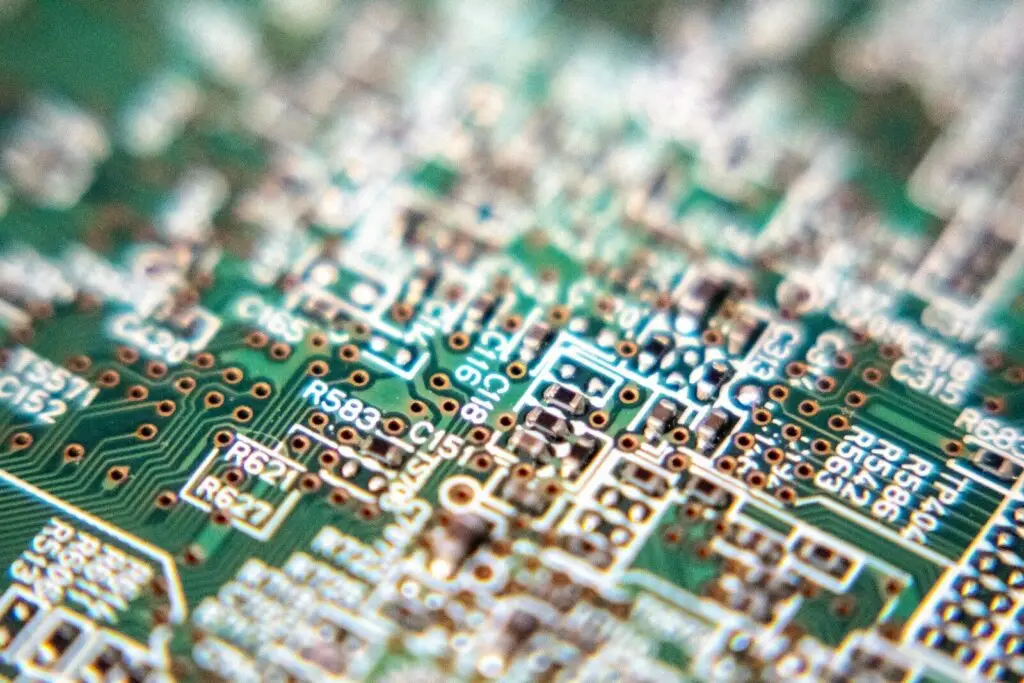
The letters are reference designator prefixes that name a component’s class, and the numbers are an index that separates one part from another on the same board. R12 means resistor number 12, not a 12-ohm resistor. The value of a part lives on the component itself or in the schematic, never in the silkscreen label.
This is the most useful convention to learn early, because it turns a wall of tiny text into a classified list. Every reference designator is unique on its board, which is exactly what makes cross-referencing between the physical board, the schematic, and the bill of materials possible.
Reference designator prefixes
| Prefix | Component class | Prefix | Component class |
|---|---|---|---|
| R | Resistor | J | Connector or header |
| C | Capacitor | SW | Switch |
| L | Inductor | Y, X | Crystal or oscillator |
| D | Diode or LED | TP | Test point |
| Q | Transistor | FB | Ferrite bead |
| U | Integrated circuit | RN | Resistor network |
| F | Fuse | BT | Battery |
Polarity, pin 1, and test point marks
Polarised parts fail, sometimes loudly, when they are installed backwards. The board warns you if you know where to look. A stripe on an electrolytic capacitor marks the negative terminal. A band on a diode marks the cathode. A flat edge on a light-emitting diode marks its cathode pin. A dot, a notch, or a chamfered corner on an integrated circuit marks pin 1, and the numbering then runs counterclockwise around the package.
Test points are the quiet ones. A small pad labelled TP1 or TP2 is a deliberate hook-up point for a probe, usually on a rail or a critical net. When a board has test points, it was built to be diagnosed, and the labels tell you where to start.
Board-level markings
Beyond individual components, most boards print information about the board itself: a revision code, a date or lot code, safety certification marks, and occasionally the bare-board manufacturer’s identifier. The revision code matters most during repair, because a board that looks identical to an earlier version may have different routing between two revisions. Always confirm the revision before comparing a board against documentation.
How to identify components and read their values
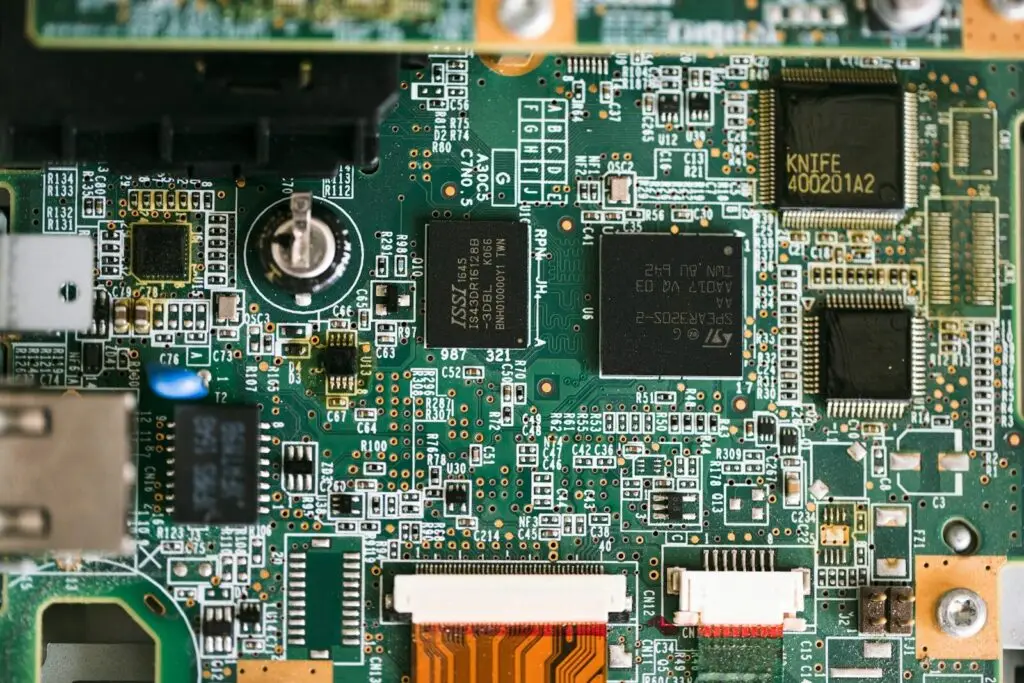
Identify components in two passes: shape first, then marking. Package shape and pin count tell you the class of part, and printed codes or color bands give the value. When a marking is ambiguous, the datasheet behind the printed part code is the only reliable source.
Shape narrows the field quickly. Small rectangles with two terminals and a printed number are usually chip resistors or ceramic capacitors. Cylinders are electrolytic capacitors. Black rectangles with many pins on two or four sides are integrated circuits. Doughnut shapes are inductors.
Reading values on passives
| Component | Typical marking | How to read it | Example |
|---|---|---|---|
| Ceramic capacitor | Three digits | First two digits plus a multiplier, in picofarads | 104 reads as 100,000 pF, or 0.1 µF. |
| Chip resistor | Three or four digits | Value digits plus a multiplier in ohms | 472 reads as 4.7 kΩ |
| Through-hole resistor | Color bands | Digits, multiplier, tolerance | Brown, black, orange, and gold read as 10 kΩ at 5 percent |
| Electrolytic capacitor | Printed value, voltage, and stripe | Capacitance, rating, negative terminal | The stripe marks the negative lead |
| Inductor | Printed value in µH or mH | Inductance, sometimes tolerance | A unit suffix settles the scale |
Polarised and active parts
Diodes, LEDs, transistors, and integrated circuits carry part codes rather than values, because there is no single number that describes them. Read the code, then pull the datasheet. The datasheet is what tells you the pinout, the ratings, and the function, and it is the only document that stays correct when two packages share a similar marking.
This is also the point where schematic documentation earns its keep. A schematic symbol and a physical footprint describe the same part from two directions, and a mismatch between them is one of the most common assembly faults.
| Component | Schematic symbol | Board footprint | What to check |
|---|---|---|---|
| Resistor | Zigzag line | Two pads, often with a printed value | Value and package size |
| Capacitor | Two parallel plates | Two pads, sometimes polarity marked | Polarity on electrolytic types |
| Diode | Triangle against a line | Two pads with a cathode band | Cathode orientation |
| Transistor | Circle with three leads | Three or more pads in a fixed pattern | Pin 1 and pin numbering |
| Integrated circuit | Rectangle with numbered pins | Many pads matching the package | Pin 1 dot, notch, or chamfer |
| Crystal | Rectangle between two leads | Two or four pads | Pad count and orientation |
How to read a PCB board when you have a schematic
If you have a schematic, read outward from the document: find the power and ground symbols first, follow signal flow from input to output, then go back to the physical board and match each symbol with the reference designator printed beside it. The two should always agree, and when they do not, you have found a real fault or a documentation error.
A schematic is easier to read than a board because it is drawn on purpose rather than produced by physics. Power rails and their symbols generally sit at the top, ground sits at the bottom, and signal flow runs broadly from left to right. Wires that would be hopelessly tangled are replaced with net labels, which is why a single name can appear in three places on the same sheet.
Use the reference designators as the bridge. Sit the board and the schematic side by side, pick a designator such as U3, and confirm that the part on the board matches the pin count and function shown in the drawing. Work through the power section first, then the main integrated circuit, then the interfaces. Grouping pcb components by function rather than by position on the board keeps the comparison manageable.
Tools that make board reading faster
A magnifier, a digital multimeter in continuity mode, the relevant datasheets, and basic anti-static protection cover almost everything a beginner needs. Every other instrument is an upgrade in speed or precision, not a prerequisite.
The meter does the work that eyes cannot. Continuity mode confirms whether two points are connected, which lets you build a picture of the nets on a board even without documentation. Probe between a known pin of a large integrated circuit and the pads around it, record what is connected to what, and after an hour on a simple two-layer board, you will have a working map. On dense boards the same method works, but it takes longer and benefits from a fine-tipped probe.
Lighting is underrated. Raking light from the side makes shallow traces and copper pours visible where flat light hides them, and backlighting turns a two-layer board into a shadow picture of its copper. Combine that with a steady hand and a fixed reference point, and inspection becomes far more repeatable.
Frequently asked questions
How long does it take to learn to read a PCB board?
Most people can read labels and identify components within a week of deliberate practice. Reading routing takes longer. The fastest path in PCB learning is to work on boards whose documentation you already have, so every guess can be checked against the answer, then switch to undocumented boards once the conventions feel automatic.
Can you read a board without a multimeter?
Partly. You can read silkscreen labels, identify components by shape, estimate values from printed codes, and follow visible traces. What you cannot do is confirm connections, especially where traces pass under parts or through vias. The meter closes that gap, which is why it earns a place in even the most basic toolkit.
Can a multilayer board from a phone actually be read?
The surface can be read, and that surface usually tells you a lot: component classes, test points, connector functions, and where the dense via fields are. Inner-layer routing cannot be read visually at all, and no amount of lighting changes that. Confirming inner connections requires design files, X-ray imaging, or destructive cross-sectioning, so treat a phone board as a board you can interpret in outline rather than in full.