Almost every electronic product is built on one common part: a flat board with copper lines across it. Designers treat it as a mechanical detail and buyers as a line item, yet it decides whether a circuit works at speed, survives heat, and can still be serviced three years later. Because each product needs its own board, most programs depend on electronic manufacturing solutions covering both the bare board and the assembly around it.
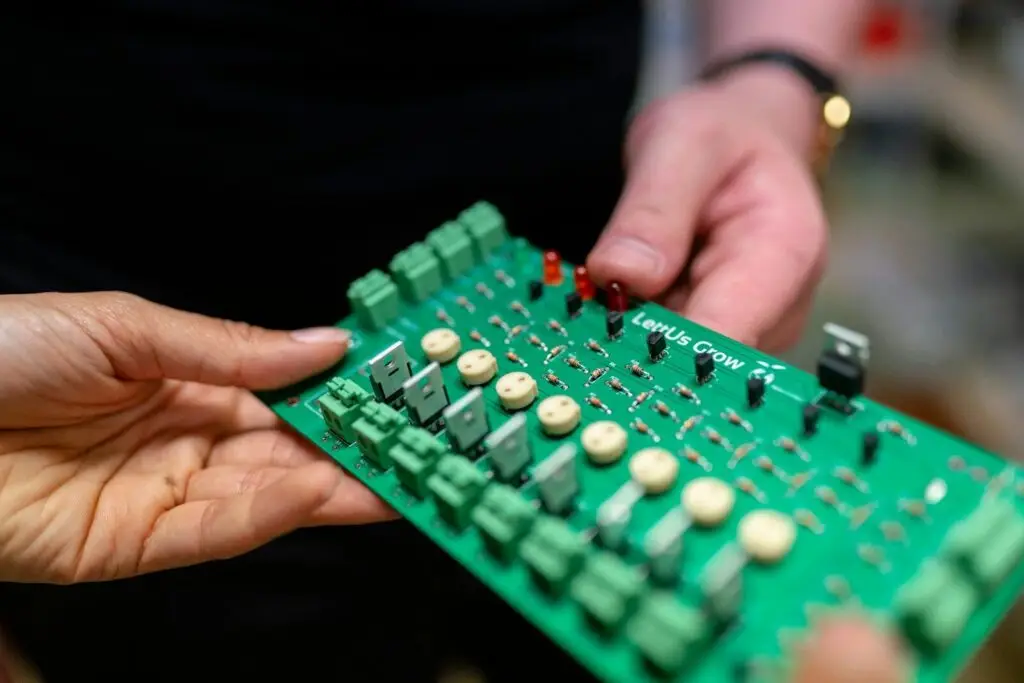
In electronics, PCB stands for printed circuit board: an insulating panel, rigid or flexible, with conductive copper pathways that hold components in place and connect them electrically. It does not amplify, switch, or store anything. It is the passive platform the rest of the circuit depends on.
Confusion usually starts with the term itself, so it helps to separate what the abbreviation means from what the board does.
What does “PCB” mean in electronics?
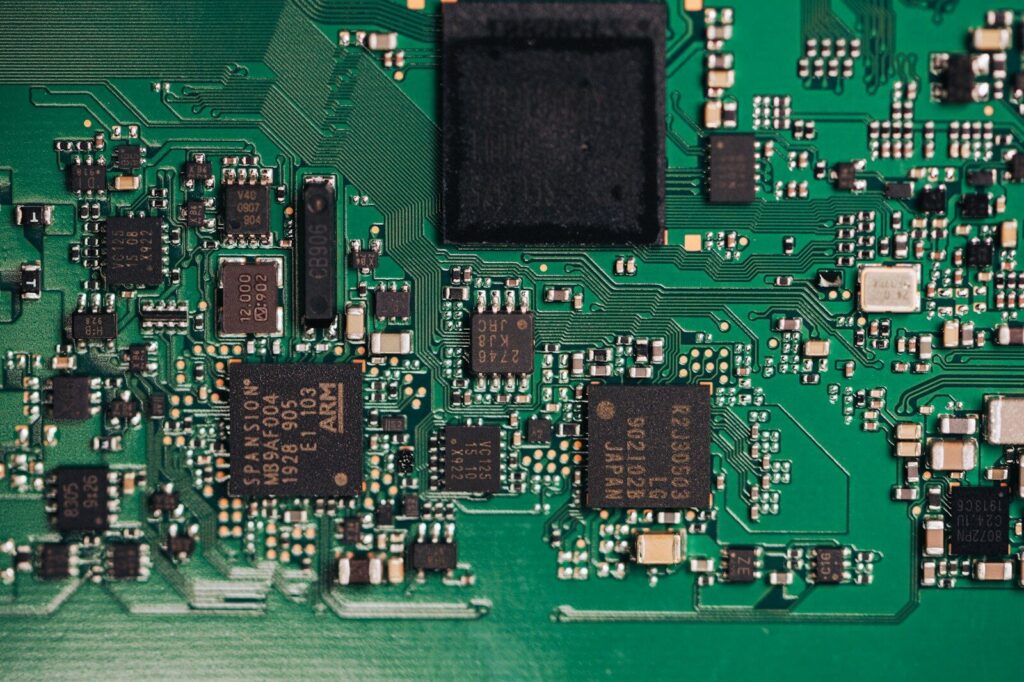
PCB is short for printed circuit board. Printed refers to how the wiring is made, not to printing on paper: copper is patterned onto the board by imaging and etching, so every board built from the same design carries the same wiring in the same places.
The two things the acronym can mean
In electronics, PCB means printed circuit board. Elsewhere the same letters stand for polychlorinated biphenyl, a group of industrial chemicals many countries restrict because they persist in the environment and accumulate in living tissue. The two share nothing but the letters.
That is why the qualifier matters. What “PCB” in electronics is a different question from what “PCB” means in a chemistry report. An engineer who says PCB means the board; a regulator usually means the chemical. If you are learning PCB design, only the board meaning matters.
PCB, chip, motherboard, and breadboard: what is not a PCB?
Four related terms get used as if they were interchangeable. They are not.
| Term | What it is | Relation to a PCB |
|---|---|---|
| PCB | Bare board with copper wiring | The platform itself |
| PCBA | Board with components soldered on | PCB plus assembly |
| IC or chip | One semiconductor device | A component on the board |
| Motherboard | Large multilayer PCB assembly in a computer | One PCB application |
| Breadboard | Reusable block with spring contacts | No printed wiring |
The hierarchy runs from the component to the circuit, the bare board, the assembled board, and the finished device. A PCB sits in the middle, which is why it gets treated as plumbing rather than a design decision.
What a PCB does in an electronic circuit
A PCB does three jobs at once. It holds components in position, connects them through copper paths, and moves heat away from the parts that generate it. Speed, noise, and service life follow from how well those three jobs are done.
Copper, dielectric, and the return path
Current leaves a source, travels along a trace, and comes back. On a two-layer board the return usually flows through a plane on the opposite side. Break that path and the current detours; the detour creates a loop, and a loop radiates and picks up noise.
This is why pcb circuit design cares about return current as much as about the signal. Two boards can share a schematic and still behave differently.
Power, ground, and signal integrity
Every trace between a regulator and a chip has resistance and inductance, so a fast-switching chip sees a supply voltage that dips. Ground planes and short power connections reduce the dip, and decoupling capacitors help when they sit close to the pins they serve.
Trace width, board thickness, and dielectric constant set a trace’s characteristic impedance. Above a certain speed, that impedance has to be controlled on purpose, and noisy nets have to be kept away from sensitive ones. Controlled impedance is a layout decision rather than a component choice, so it has to be settled before the board is released for fabrication.
Where the heat goes
FR-4, the standard board material, conducts heat poorly; copper does not. Heat leaves a hot component through its pads and vias into the copper underneath, then into the air or a heatsink. For high-power and LED work, the substrate changes, because metal-core and ceramic boards remove heat far better than FR-4.
| Board element | Electrical or thermal job |
|---|---|
| Copper trace | Carries signal and current between components |
| Dielectric substrate | Insulates layers and sets impedance and loss |
| Via | Connects traces on different layers |
| Power and ground plane | Carries return current and distributes power |
| Solder mask | Insulates copper and prevents bridging |
| Thermal via or copper pour | Moves heat out of a hot component |
How board construction changes electrical behavior
Construction decides what a board can do. More layers mean more routing room and tighter control over impedance and noise, and they also mean higher cost, longer lead times, and harder rework. The right answer is usually the simplest construction that meets the requirement.
Layer count and what each layer buys
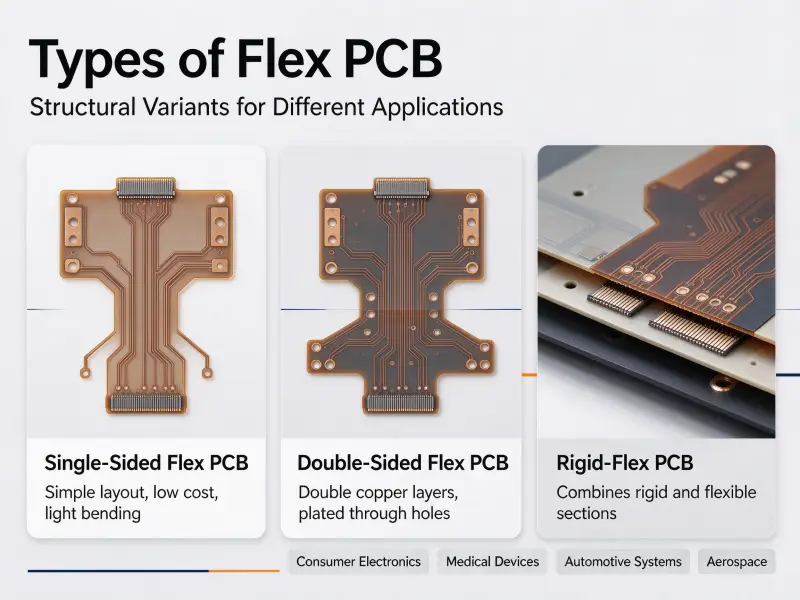
A single-sided board has copper on one face and suits simple, low-density circuits. A double-sided board adds a second routing layer and the option of a ground plane. Multilayer boards separate signal layers with dedicated power and ground planes, which is what makes controlled impedance practical.
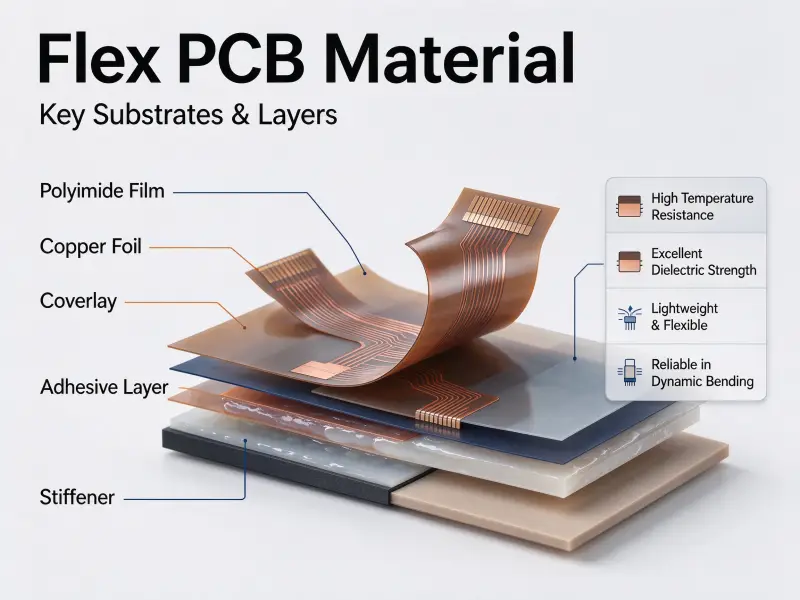
HDI boards use microvias and finer lines to fit more connections into less area. Flex and rigid-flex come from a different requirement: the board has to bend, so rigid FR-4 gives way to polyimide film.
Materials and their electrical properties
Three numbers explain most material choices. The dielectric constant sets impedance and signal propagation speed. Dissipation factor sets how much signal energy turns into heat. Glass transition temperature, written as Tg, sets how well the laminate holds its dimensions when the board gets hot.
Standard FR-4 covers most products. High-frequency laminates lower dielectric constant and loss for RF work. Polyimide handles flex and high temperatures. Metal-core and ceramic trade costs for thermal performance.
| Construction | What it changes electrically |
|---|---|
| Single-sided | Lowest cost, limited routing |
| Double-sided | Balance of cost and routing density |
| Multilayer | Power and ground planes, controlled impedance |
| HDI | More connections in less area |
| Metal-core or ceramic | Better heat removal for power and LED work |
How components connect to the board
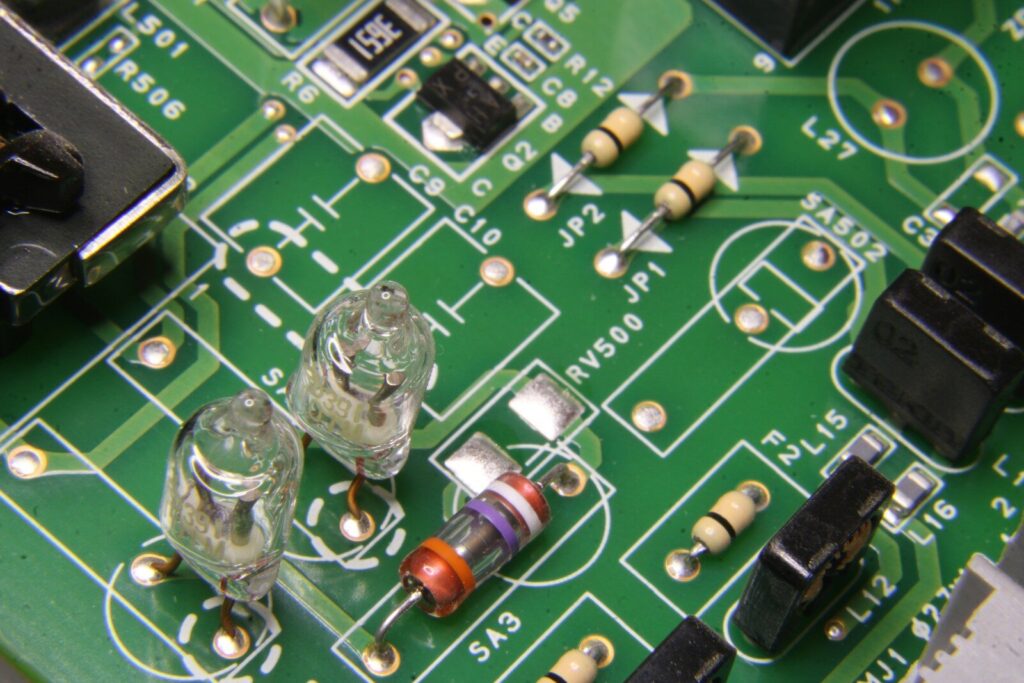
Components reach the board through pads, solder joints, and vias. The joint is the weakest link in the chain, so how a part is mounted matters as much as which part it is.
Surface mount and through-hole
Surface mount parts sit on top of the board and are reflow soldered. They are smaller and denser, and their short leads lower inductance, which helps at high frequency. Through-hole parts pass leads through plated holes for a stronger joint, which suits connectors, transformers, and heavy components. Most boards mix both, and the choice is usually made per component, based on heat, weight, and mechanical load.
Pads, vias, and the solder joint interface
A pad is a defined area of exposed copper where a component terminates, and the surface finish is what covers that copper. HASL is cheap and solderable but uneven. ENIG gives a flat, long-lasting surface and costs more. OSP protects the copper until the first reflow. The finish affects solderability, shelf life, and joint behavior—a smaller behavior under thermal cycling.
Vias connect layers. Through vias run the full thickness; blind and buried vias stay inside the board, freeing surface area at the cost of extra drilling and plating. They also make rework harder, because the connection you need may no longer be on the surface.
Why placement is an electrical decision
A decoupling capacitor an inch from a power pin does much less than one sitting beside it, and a loop between a driver and its load radiates more as its area grows. Placement and routing set those loop areas, and loop areas set most of the noise behavior on a board.
Component choice, availability, and counterfeit risk sit outside the design file but inside the same decision. That is why layout and B2B electronic components sourcing are normally planned together.
Can a PCB be repaired?
Often, yes. A broken trace, a lifted pad, or a failed component can usually be repaired or reworked. Whether it is worth doing depends on the layer count, whether the damage reaches inner layers, and what a replacement board costs against the value of the equipment.
What is repairable?
Component replacement is routine: the failed part comes off, a matching one goes on. Broken traces on outer layers can be bridged with a jumper wire or conductive repair material, and damaged pads can be rebuilt with epoxy and copper foil kits. Most failures trace back to overstress, moisture, thermal cycling, contamination, or solder defects from the original build.
When repair stops making sense
A burnt or carbonized substrate is a different problem, because the damage tends to spread, and a repair that works on the bench can fail in the field. Damage to inner layers or buried vias is hard to reach and hard to verify, and fine-pitch packages with hidden joints can only be confirmed with X-ray.
| Fault | Typical approach | How practical |
|---|---|---|
| Failed component | Desolder and replace | Usually straightforward |
| Broken outer trace | Jumper wire or conductive repair | Practical if accessible |
| Lifted or damaged pad | Epoxy and copper foil repair kit | Practical if the inner layer is intact |
| Burnt or cracked substrate | Replacement board | Rarely worth repairing |
| Fault under a BGA or inner layer | Replacement board | Hard to verify after rework |
For industrial equipment the decision usually comes down to downtime rather than unit price. If a replacement board takes weeks while the line is stopped, a repair that holds is often the better business call.
How much does a PCB cost?
There is no single price for a PCB. A bare board and an assembled board are quoted differently, and both move with layer count, board area, material, tolerances, surface finish, quantity, and testing. Two designs that do the same job can be quoted far apart.
A bare board and an assembled board are two different purchases.
A bare board is a fabrication order, priced by the manufacturing effort it needs. An assembled board adds components, stencils, placement programming, soldering, inspection, and often testing. Component prices follow the component market rather than the board, so an assembly quote can move even when the board design has not changed.
What drives the price?
| Cost driver | Effect on unit price |
|---|---|
| Layer count | More layers, higher price |
| Board area | Larger boards use more material |
| Substrate material | FR-4 baseline; high-frequency and ceramic cost more |
| Minimum trace and spacing | Tighter rules lower yield and raise price |
| Blind and buried vias | Extra drilling and plating steps |
| Surface finish | Longer shelf life and flatness cost more |
| Order quantity | Higher volume spreads setup cost |
| Testing method | Fixture setup is costly at low volume |
| Reliability class | Stricter inspection and documentation |
Impedance control belongs on that list even though it does not look like a cost item, because holding a trace to a target impedance means tighter control of material and etching.
Cutting cost without cutting reliability
The cheapest board is the one built to the requirement and not beyond it. Cutting the layer count while keeping the electrical performance is the biggest lever. Standard materials, standard finishes, and sensible tolerances all help.
Panelisation is often overlooked. Boards are made in panels, and how the parts sit on the panel affects material use and handling on the line.
What standards and classes mean for reliability
Board design and acceptance follow published standards, and the ones most boards are measured against come from IPC. They define what counts as acceptable workmanship and how much reliability a product has to carry.
Design and performance standards
IPC-2221 is the generic standard for printed board design, covering single-sided, double-sided, and multilayer boards, with sectional standards for rigid, flexible, HDI, and RF boards. IPC-6012 covers performance for rigid boards. IPC keeps the design series together in its design standards library.
These documents define requirements rather than processes. They say what a finished board has to satisfy, not which machine settings to use.
IPC Class 1, 2, and 3
Class describes how much reliability a product has to carry, and it changes how strict the inspection criteria are.
| Class | Typical products | What the class requires |
|---|---|---|
| Class 1 | Consumer and short-life products | Function is the priority |
| Class 2 | Industrial, telecom, and commercial equipment | Longer service life, stricter solder and cleanliness criteria |
| Class 3 | Aerospace, defense, and medical life support | Continuous operation expected |
Class does not change the electrical design or the quality of the components. The same design can be built to different classes depending on where it will be used. Specifying Class 3 where it is not needed raises cost without adding much; specifying Class 2 where Class 3 is needed creates risk that shows up in the field.
Before you send a design out
A quotation is only as good as the information behind it. The minimum set covers layer count, board thickness, material, copper weight, surface finish, minimum trace and spacing, impedance requirements, the IPC class, panelization, quantity, and testing expectations. Assembly adds a bill of materials with approved alternates.
State the standard and the class explicitly. Ambiguity at the quoting stage usually turns into a dispute at inspection. A fab drawing travels with the order, and it is what the finished board is measured against.
FAQ
Is a PCB the same as a motherboard?
No. A motherboard is one large, high-layer-count PCB assembly used in computers, while “PCB” is the general term for the bare board. Every motherboard contains a PCB, but most PCBs are not motherboards.
Is a PCB a semiconductor?
No. A PCB is an insulating substrate with copper conductors, and copper conducts rather than semiconducts. The semiconductors are the chips, transistors, and diodes mounted on them.
How long does a PCB last?
It depends on the environment and how hard the board is driven. With a protective solder mask and a suitable surface finish, a well-made board can run for many years under normal conditions. Heat cycling, moisture, and mechanical stress all shorten that, and bare boards have a shelf life because surface finishes oxidize.