Nearly every device that plugs in or charges contains at least one printed circuit board. A phone, a washing machine, a car dashboard, a factory controller, and a hospital monitor each rely on a board to hold its electronics together and move signals between them.
For many people the first real look at a PCB board comes in an unglamorous moment, when a device stops working and the cover comes off to reveal a green rectangle packed with tiny parts. Knowing what that rectangle is, what it does, and what a replacement involves makes those moments far easier to handle, whether you source boards in volume through custom PCB manufacturing or you are simply deciding whether a repair is worth the money.
A PCB board is a flat, insulating board with thin copper pathways laminated onto it; the board holds electronic components in position and connects them electrically so they behave as one working circuit. It performs no function by itself, yet almost nothing built with electronics operates without one.
The sections below cover what a PCB board is made of, what it is used for, how to read one, and what replacing it actually involves.
What is a PCB board, in plain terms?
A PCB board gives electronic components a fixed home and a fixed route between them. Take it away and every part would have to be joined by hand, with no repeatability and no way to build the same device twice.
The word “printed” describes how the conductive pattern is made. Instead of running individual wires from point to point, a manufacturer prints the entire network of connections onto the board in one process, so thousands of identical boards can be produced with the same layout. That single change is why modern electronics can be small, cheap, and reliable at the same time.
Before printed boards, circuits were assembled by soldering wires between component leads. The approach worked, but it was slow, bulky, and prone to loose connections that were hard to find. A printed board replaced the loose wire network with a fixed copper pattern bonded to an insulating sheet, and the reliability of the whole product followed.
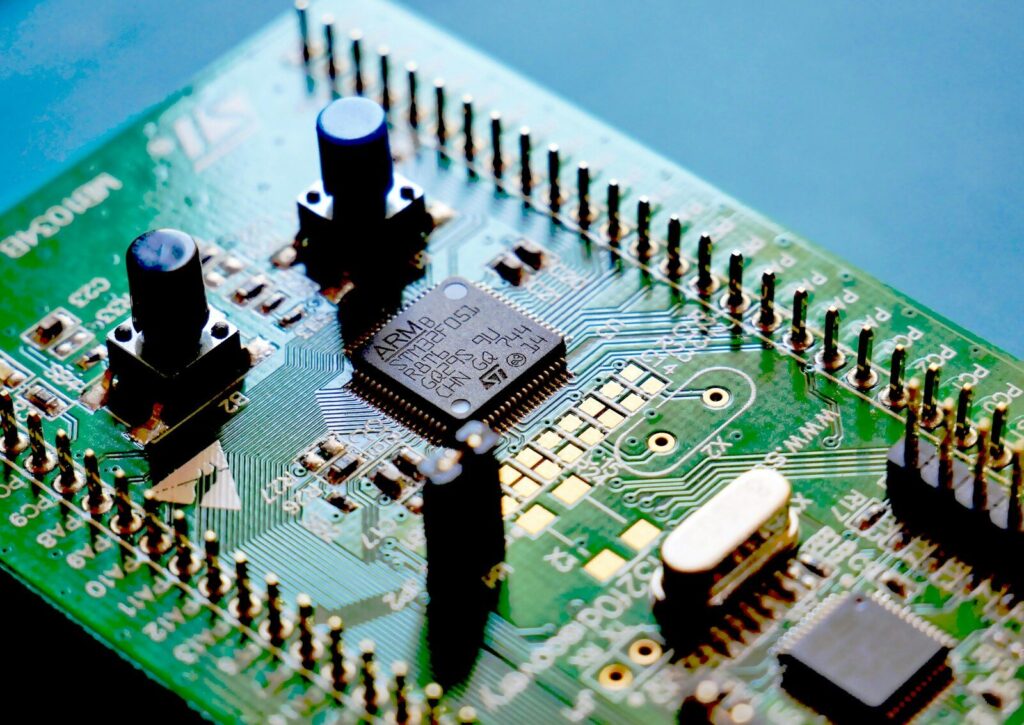
The parts of a PCB board you can see
Most boards share the same basic stack of layers, even when their circuits differ completely.
| Layer | What it is | What you notice |
|---|---|---|
| Substrate | An insulating sheet, usually FR-4 glass-epoxy | The stiff board itself, often pale green or blue |
| Copper layer | Conductive pathways, called traces, plus pads | Thin metallic lines, mostly hidden under the coating |
| Solder mask | A protective coating over the copper | The colored surface; bare metal shows only where you must solder |
| Silkscreen | Printed legends and outlines | White text, component outlines, and reference codes |
| Surface finish | A thin metallic coating on exposed copper | Gold, silver, or tin-colored pads |
The substrate carries the mechanical load and keeps the conductors apart. Copper does the electrical work, moving power and signals along the traces. The solder mask keeps solder from bridging between neighboring pads and blocks oxidation. The silkscreen is the board’s labeling system, and the surface finish protects the copper that has to accept solder.
PCB board, PCBA, and circuit board: why the names differ
The bare board, before any components are attached, is the PCB. Once components are mounted and soldered, the finished item is a PCBA, short for printed circuit board assembly. “Circuit board” is simply the everyday term for a PCB. The distinction matters when you order, because a bare board and a populated assembly are different products with different prices and lead times.
What are PCB boards used for?
PCB boards are used to hold and connect the electronics inside almost every powered product, from a phone charger to an aircraft flight controller. Whatever the device, the board does the same job: keep components in place, feed them power and signals, and help carry heat away.
The jobs a PCB board does inside a device
Every board, simple or complex, performs a short list of tasks.
- Mechanical support: it holds components in fixed positions so vibration and handling do not move them.
- Electrical connection: copper traces replace hand wiring between component pins.
- Power distribution: the board routes current from the supply to every part that needs it.
- Signal routing: data and control signals travel along controlled paths between chips and sensors.
- Heat spreading: copper area and thermal vias pull heat away from hot components.
- Mechanical anchoring: connectors, switches, and mounting holes are fixed to the board so cables can be attached and removed.
Each of these jobs shapes the PCB board design. A board that must carry high current needs wider copper and heavier plating; a board that must handle fast signals needs tighter control of trace geometry and impedance. Together, those traces are what people mean by the PCB circuit.
Where PCB boards appear in daily life
The same basic product shows up across nearly every industry, but the demands differ.
| Field | Typical equipment | What the board does |
|---|---|---|
| Consumer electronics | Phones, laptops, smart watches, chargers | Dense routing between processors, memory, and sensors |
| Home appliances | Washing machines, ovens, air conditioners | Control logic and motor drive |
| Automotive | Engine control, driver assistance, battery management | Rugged boards managing power and safety signals |
| Medical | Patient monitors, imaging systems, wearable health devices | High-reliability signal capture and processing |
| Industrial control | Programmable controllers, drives, robotics | Operation under heat, vibration, and electrical noise |
| Energy | Solar inverters, wind converters, grid monitoring | Power conversion and system monitoring |
If a product has a power switch, the odds are good that it contains a board. The PCB electronics in a phone and in a wind turbine converter follow the same principles, even though the materials and tolerances are worlds apart.
How to read a PCB board
Reading a PCB board means recognizing its structure rather than tracing its exact circuit: count the copper layers, find the silkscreen labels, and see how the components are mounted. Those three observations tell you how complex, how costly, and how replaceable the board is likely to be.
For anyone new to this, a little PCB learning goes a long way. You do not need to understand every component to tell a simple board from a complex one.
Layer count and what it tells you
| Type | Copper layers | Typical use | What it signals |
|---|---|---|---|
| Single-sided | 1 | Simple, low-cost products | Easiest to trace and repair |
| Double-sided | 2 | Most consumer and industrial boards | Standard complexity |
| Multilayer | 3 or more | Computing, telecom, dense designs | Higher design and manufacturing demands |
More layers mean more room to route connections without crossovers, which suits dense designs. They also mean more process steps, tighter tolerances, and a higher PCB price. A quick way to judge a board’s complexity is to look at how many layers it was built from and how tightly the components are packed.
Silkscreen markings, reference designators, and connectors
The silkscreen is the board’s own documentation. It marks component outlines, polarity for parts that must be fitted one way, connector names, alignment points, and sometimes the board part number. Reference designators, the short codes printed beside each part, let a technician locate a specific component from a schematic. When a board carries clear legends and a part number, both replacement and repair become easier.
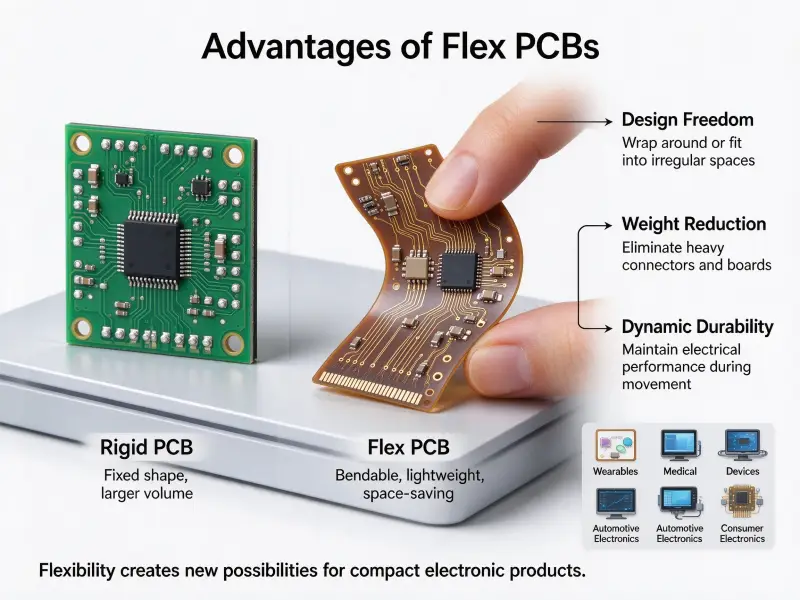
Rigid, flexible, and rigid-flex: recognizing the difference
Most boards are rigid, built on a stiff substrate that will not bend. Flexible boards use a thin polymer film so the board can fold into spaces a rigid board cannot reach. Rigid-flex boards combine both, using rigid sections for components and flexible sections to join them. You can usually tell them apart at a glance, simply by whether the board bends.
How much does it cost to replace a PCB board?
There is no fixed price for replacing a PCB board. The bill normally has three parts: the replacement board, the labor, and the diagnosis that locates the fault, and each part moves sharply depending on the device. A board inside a mass-produced appliance is typically a low-cost module, while a board of similar size inside a low-volume industrial or medical machine can be the single most expensive part in the unit. The only reliable figure is a quote produced after the fault has been found.
What drives the cost of a PCB board replacement?
| Factor | Effect on cost | Why |
|---|---|---|
| Device type | Low to high | Simple appliances sit at one end, and industrial and medical equipment at the other |
| Board complexity | Higher as layers and density rise | Multilayer and high-density boards cost more to make and to inspect. |
| Spare-part availability | Higher when scarce | Obsolete or rare boards are difficult to source. |
| Labor and diagnosis | Higher as difficulty rises | Finding the fault can cost more than the part |
| Firmware and matching | Adds cost when required | A replacement board may need reprogramming or recalibration |
| Downtime | Indirect but often the largest | Lost production can outweigh the parts bill |
Repair, replace, or write off: how to decide
The decision usually turns on how isolated the fault is. A single failed component on an otherwise sound board can often be replaced, and repair services exist for exactly that case. Damage spread across the board, corrosion from moisture, or repeated failures point toward replacement instead.
A common rule of thumb is to replace the unit rather than the board when the repair cost approaches a large share of the device’s value. Treat that as a general guideline, not a fixed threshold, because the right cutoff depends on the device, how critical it is, and whether a spare board is even available. This is a judgment call, not a standard ratio.
Getting an accurate replacement quote
Because the cost depends on the specific fault, a supplier or repair service needs the same inputs before it can price the work. Send the board’s part number from the silkscreen, clear photographs of both sides, the device make and model, and the exact fault symptoms. State whether you need the bare board or the fully assembled unit. If the replacement needs individual components rather than a finished board, working through a manufacturer that handles electronic components sourcing alongside assembly usually shortens the loop.
What determines a PCB board’s quality and lifespan
Two boards can be built to the same drawing and still age very differently. Quality is set first by design choices and material selection, confirmed by how well the board is made to published standards, and then decided in service by heat, moisture, vibration, and electrical stress.
Design and material choices that set the ceiling
Several decisions made long before production fix how long a board can last. The balance of copper across layers affects warping and thermal stress. Copper weight sets how much current a trace can carry without overheating. The laminate’s glass transition temperature, or Tg, sets the point at which the material begins to soften, which is why higher-temperature applications move to higher-Tg laminates or to polyimide and metal-core materials. Trace width, spacing, and thermal relief around heat-generating parts all feed into the same result.
Manufacturing quality and industry standards
Even a good design can be spoiled by weak process control. Plating thickness in the holes, lamination quality, solder mask adhesion, and surface finish all vary with how carefully the board is made. This is where published standards do their work. Rigid board performance requirements are defined by IPC standards such as IPC-6012, and visual acceptance criteria by IPC-A-600, both maintained by the IPC standards body that represents the electronics manufacturing industry.
The PCB manufacturing process is judged against these documents, and buyers should know one thing about them: they define minimum acceptability, not a guarantee that a board will survive a specific application. A board can pass every standard check and still fail early if it is used outside its design envelope.
Operating environment and how to extend board life
In service, four stresses decide how long a board lasts. Heat is the strongest, because higher operating temperatures accelerate the aging of solder joints and laminate. Moisture comes next, driving corrosion and lowering insulation resistance unless a conformal coating or potting seals the surface. Vibration fatigues solder joints and connector pins over time.
Electrical stress, whether overcurrent, voltage spikes, or poor grounding, adds heat and wears down traces and vias. Cleaning the board, keeping it dry, protecting it from vibration, and staying inside its electrical ratings all push in the same direction: a longer, more predictable life. Field lifespans range from a few years to several decades, and the factors above, not the board’s age alone, decide which end of that range you land on.
How to specify a PCB board for a new product
Ordering a PCB board means writing down the requirements a plain description leaves out. A short, complete specification removes most of the back-and-forth that otherwise happens after the quote.
| Specification item | Why it matters |
|---|---|
| Layer count and stack-up | Sets routing capacity and process complexity |
| Base material | Fixes thermal limits, flexibility, and cost |
| Copper weight | Determines current capacity and heat handling |
| Minimum trace width and spacing | Defines achievable density and manufacturability |
| Drilling and via type | Controls interlayer connection and reliability |
| Surface finish | Affects solderability and shelf life |
| Solder mask and silkscreen | Covers protection and labeling requirements |
| IPC class and acceptance standard | States the quality level the board must meet |
| Board dimensions and tolerances | Ensures fit with enclosure and connectors |
| Quantity and required turnaround | Drives tooling, price, and scheduling |
Specify the class and material up front rather than after sampling. Changing either late in a project usually means a fresh round of tooling and a new qualification cycle.
FAQ
Can I replace a PCB board myself?
For a board that simply plugs into a socket, such as many appliance control boards, replacement is a realistic task for a careful user who can power the device down safely. Board-level repair, where you desolder and refit components, is a different matter: it needs soldering tools, magnification, and static protection, and a slipped iron can damage the board beyond repair. Where the device is still under warranty or carries a safety function, professional service is the safer route.
Are refurbished or aftermarket PCB boards a safe option?
They can work well, particularly for older equipment where original boards are no longer produced. The trade-offs are provenance and support. A refurbished board may have been repaired or reworked, may not match the firmware revision your device expects, and may come with little or no warranty. For non-critical or legacy equipment, they are often the practical choice; for safety-related or calibrated systems, an original board with paperwork is worth the extra cost.
How do I identify which PCB board a device needs?
Start with the part number printed on the board’s silkscreen, then record the device make, model, and revision. Photograph both sides of the board so connector layouts and mounting holes can be compared against a candidate replacement. If the board carries no marking, match it by device model and function instead, and confirm with the equipment maker’s parts list before ordering. Boards that look identical can differ in component fit or firmware, so a confirmed part number beats a visual match every time.