Most board reviews start the same way. A design package arrives with a schematic, a Gerber set, and a components list, and someone asks you to approve it before the first panel gets loaded. The layout usually looks fine. The parts are where builds stall. A package that doesn’t match the pad geometry, an alternative already flagged as end of life, or a reel that never passed an authorized channel stops production faster than any routing mistake.
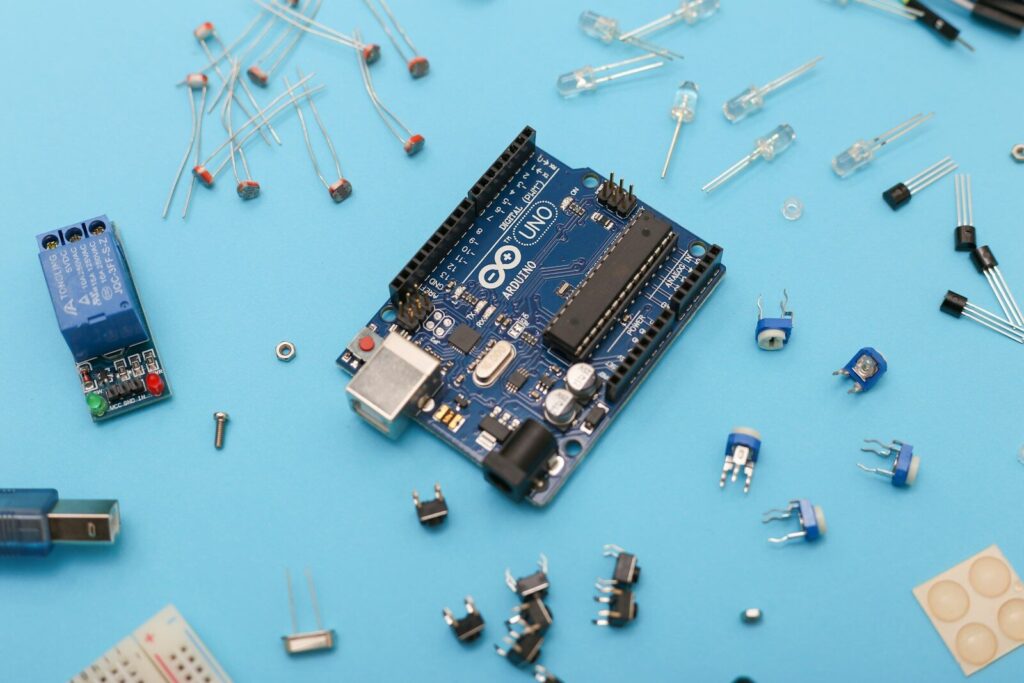
A circuit board is a printed circuit board (PCB) made from an insulating substrate, laminated copper, and a printed pattern of traces; the components are the discrete parts soldered onto it, such as resistors, capacitors, inductors, diodes, transistors, integrated circuits, connectors, relays, and sensors. Board plus parts equals a printed circuit board assembly, or PCBA.
The board routes power and signals, while the components do the switching, storage, and control that make the product work. Read the silkscreen designators, match each part to its package, then confirm it against the schematic and bill of materials, and you know what’s on the board.
From identifying what sits on a PCB board to buying that list in production volume, the same checks repeat, and they’re the ones our engineers run at Electronic Components Sourcing before any build is released.
What counts as a circuit board component?
A circuit board component is any part mounted on the board that changes what the circuit does. The bare board only connects things. Resistors, capacitors, inductors, diodes, transistors, integrated circuits, connectors, switches, relays, crystals, fuses, and sensors are all components. Copper traces, pads, vias, solder mask, and silkscreen are board features rather than components, even though they’re built onto the same material.
The bare board versus the parts mounted on it
A printed circuit board starts with an insulating core, usually FR-4 glass-reinforced epoxy and sometimes polyimide, ceramic, or a metal base. Copper foil is laminated to one or both sides and etched into traces that carry signals and power, vias connect the layers of a multilayer stack, and silkscreen ink carries the reference designators and polarity marks technicians read during inspection.
The choice of printed circuit board material decides more than most buyers expect. It sets how much heat the board pulls away from a hot component, how stable the dielectric stays at high frequency, and how much the panel warps during reflow. Swap FR-4 for a metal base or an alumina substrate, and the same component set behaves differently, which is why the board and the parts can’t be specified separately.
Passive, active, and the families in between
| Family | Behavior | Common parts | Typical jobs |
|---|---|---|---|
| Passive | Shapes voltage, current, and timing | Resistor, capacitor, inductor, ferrite bead, transformer | Current limiting, filtering, energy storage |
| Active | Controls current flow and needs a supply rail | Diode, LED, transistor, MOSFET, IC, regulator | Switching, amplification, logic, regulation |
| Electromechanical | Electrical function plus physical movement | Connector, switch, relay, socket | User input, cable interface, load switching |
| Protection | Clamps or breaks the circuit under stress | Fuse, resettable fuse, TVS diode, varistor | Overcurrent, surge, and ESD protection |
| RF and interconnect | Moves signals between stages or into the air | Header, board-to-board connector, antenna, filter | Board stacking, wireless front ends |
Passive parts are usually the most numerous on the board and the ones most often underspecified on a bill of materials. Writing “10 kΩ resistor” without tolerance, temperature coefficient, power rating, and package leaves the buyer guessing, and the wrong coefficient can shift a divider enough to break an analog front end. Active parts get more attention because integrated circuits carry the processing and memory functions, and their package type drives the whole layout.
PCB components list with pictures: what you’re actually looking at
A printed list of PCB components only helps if you can connect each name to something you can see. The table below pairs the common parts with their reference designators, the packages they ship in, and the visual cue that identifies them without a datasheet.
| Component | Designator | Schematic symbol | Common packages | Visual cue |
|---|---|---|---|---|
| Resistor | R | Zig-zag (IEEE 315) or rectangle (IEC 60617) | 0201 to 1206 chip | Dark rectangular chip, silver ends, code on top |
| Capacitor | C | Two plates, one curved if polarized | MLCC, tantalum, radial can | Beige block, or a cylinder with a polarity stripe |
| Inductor or ferrite bead | L, FB | Coiled loops | Shielded drum, molded chip | Square block, often the tallest passive on the board |
| Diode | D | Triangle pointing into a bar | SOD-123, SMA, DO-41 | Band marking the cathode |
| LED | LED, D | Diode with outgoing arrows | 0603 to 3528, through-hole | Clear or colored lens that emits light |
| Transistor or MOSFET | Q | Three-terminal symbol with an arrow | SOT-23, SOT-223, TO-220 | Three leads, often with a thermal tab |
| Integrated circuit | U, IC | Rectangle with numbered pins | SOIC, TSSOP, QFN, QFP, BGA | Black body with a pin-1 dot or notch |
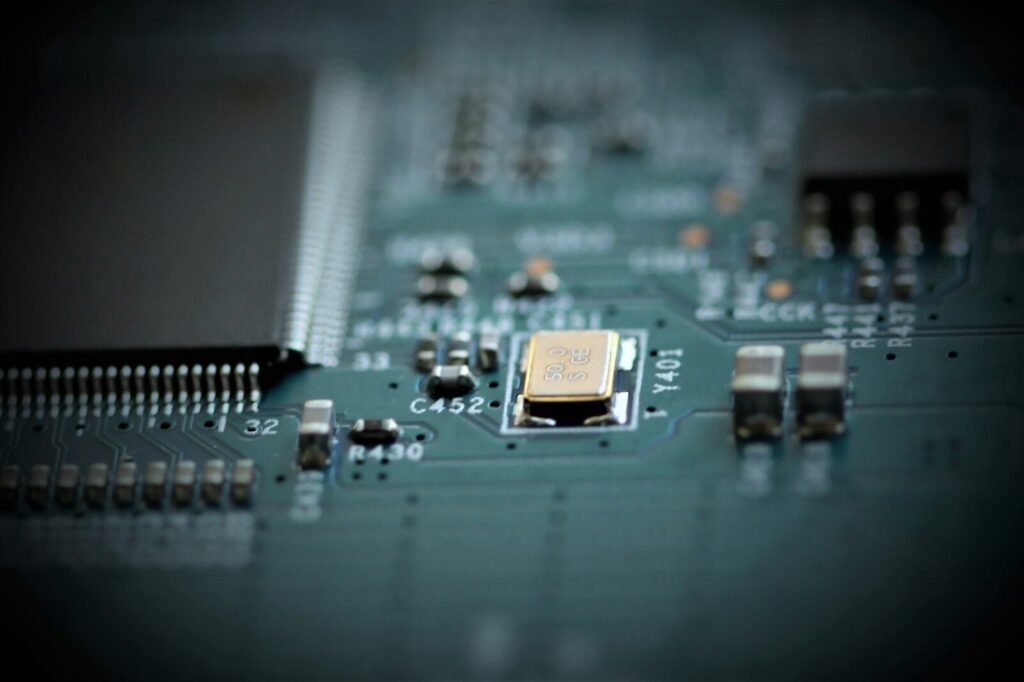
| Crystal | Y, X | Two plates with a rectangle between them | HC-49, 3225 SMD | Metal can be placed close to the main IC. |
| Transformer | T | Two coils | E-core, toroidal | Heavier than an inductor, wound core visible |
| Relay | K | Coil beside a switch contact | Sealed rectangular housing | Coil voltage printed on the case |
| Connector | J, P | Bracket or pin array | Header, terminal block, USB, FFC | The parts a cable plugs into |
| Fuse | F | Line through a rectangle | Glass cartridge, 1206 SMD, PTC | Body marked with a current rating |
| Sensor | U, S | Varies with the sensing principle | MEMS, TO-can, SMD module | Open port or exposed pad |
| Test point | TP | Small circle | Bare pad, loop terminal | Exposed pad with a TP label beside it |
Two marking rules save more time than any photograph. Surface-mount resistors use a three- or four-digit EIA code instead of color bands, so 103 means 10 followed by three zeros, or 10 kΩ. Polarity marks don’t follow one convention either. On an aluminum electrolytic capacitor the stripe marks the negative terminal, while on a tantalum capacitor the stripe marks the positive terminal, and reversing a tantalum part destroys a board quickly.
PCB component identification in six steps
Identification runs from the outside in. Start with the silkscreen designator, move to the package and its markings, then confirm the exact part number against the schematic and the bill of materials. A visual match narrows the field, but it doesn’t prove the part.
- Read the reference designator. The code beside the footprint tells you the component family before you look at the part itself.
- Read the value or part number. Chip passives carry a short code; larger parts carry a full part number across one or two lines.
- Check the polarity marks. A band on a diode, a stripe on a capacitor, a chamfer or dot marking pin 1 on an integrated circuit.
- Match the package outline. Count the leads, measure the body, and note whether the part sits on the surface or passes through a hole.
- Cross-check the schematic. The symbol confirms whether the part feeds a rail, sits in a signal path, or works as protection.
- Confirm against the bill of materials. The BOM carries the tolerance, rating, and approved part number that markings alone can’t give you.
Step four has a hard ceiling, because package recognition narrows possibilities without proving anything. A six-pin SOT can hold a regulator, a logic gate, a sensor interface or a protection array, and the marking on top is often a short form rather than a full part number. The industry also quotes chip sizes in imperial codes, while datasheets use metric, so a 0402 part measures 1.0 by 0.5 mm and appears in some drawings as 1005.
PCB component symbols and reference designators
Reference designators are the letter codes printed beside each footprint. R means resistor, C means capacitor, L means inductor, D means diode, Q means transistor, U means integrated circuit, J means connector, F means fuse, Y or X means crystal, K means relay, SW means switch, and TP means test point. Schematic symbols show how a part behaves, and designators tell you where it sits on the board.
| Designator | Component | Designator | Component |
|---|---|---|---|
| A | Assembly or subassembly | BR | Bridge rectifier |
| BT | Battery | C | Capacitor |
| D | Diode | F | Fuse |
| IC | Integrated circuit | J | Jack or connector |
| K | Relay | L | Inductor |
| LED | Light-emitting diode | MOV | Metal-oxide varistor |
| PS | Power supply | Q | Transistor |
| R | Resistor | SW | Switch |
| T | Transformer | TB | Terminal block |
| TP | Test point | U | Integrated circuit |
| VR | Variable resistor | X | Crystal or socket |
| Y | Crystal | Z, ZD | Zener diode |
IEEE 315 versus IEC 60617
Two drawing standards dominate PCB component symbols, and mixing them on one schematic creates confusion at review. IEEE 315 draws a resistor as a zig-zag line and usually encloses a transistor in a circle representing the physical can. IEC 60617 draws the same resistor as an empty rectangle and leaves the transistor without a circle. Neither is wrong, and most CAD tools ship libraries for both. The electronic symbol conventions behind them are worth reading if you’re building a library from scratch, because a footprint from one standard paired with a symbol from the other confuses every technician who opens the file.
Surface mount versus through-hole components
Surface mount components sit on pads on the board surface and are reflow soldered, usually by machine. Through-hole components have leads that pass through drilled holes and are soldered on the opposite side, often by wave soldering or by hand. Most production boards use surface mount for dense logic and through-hole for connectors, power stages, and parts that need mechanical strength.
| Surface mount | Through-hole | |
|---|---|---|
| Footprint | Small, low profile | Larger, one hole per lead |
| Density | High, both sides can be populated. | Limited by hole spacing |
| Assembly | Reflow, fully automated | Wave or hand soldering |
| Vibration strength | Weaker against peel and flex | Strong, the lead carries the load. |
| Rework | Hot air or IR, stencils for fine pitch | Straightforward with an iron |
| Heat path | Through the pad into the board | Along the lead into the barrel |
The split matters on a mixed board because the two processes run in sequence. Surface mount goes first, through-hole second, and any through-hole part that can’t survive a second reflow has to be added by hand afterwards. Planning that during printed circuit board design costs nothing; discovering it on the line costs a day.
One clarification for buyers: a circuit board components kit is not a finished assembly. A kit is a bag of loose parts sold for learning or repair, with no traceability, no certificates, and no guarantee that the parts inside came from an authorized channel. A PCBA has been fabricated, populated, reflowed, and tested against a documented BOM. Only one of those belongs in a production order.
How component choice shapes printed circuit board design
Component choice drives almost every layout decision that follows. The package sets the pad geometry and the minimum trace pitch. The power rating sets the copper weight and the thermal relief. The height sets the enclosure clearance and the reflow profile. A board is only as good as the parts it was laid out around.
Package size, pitch, and board real estate
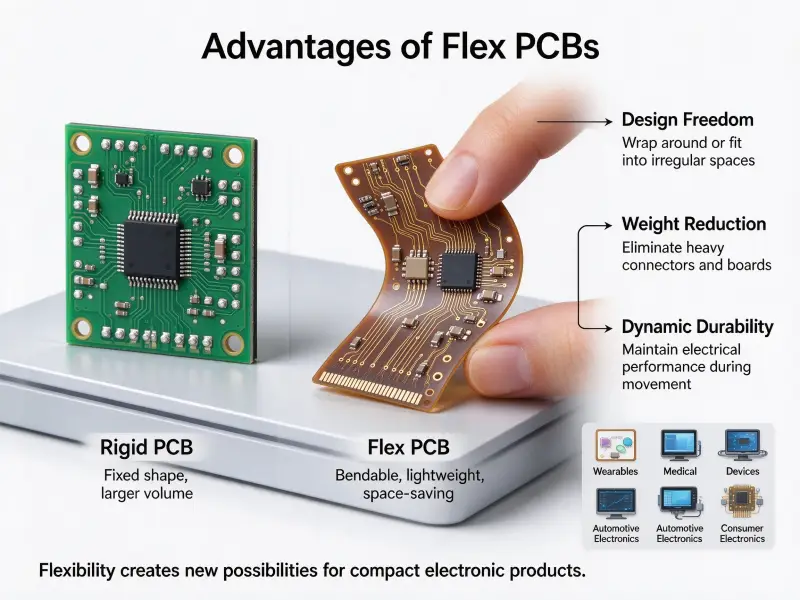
Moving from an 0805 passive to an 0201 version shrinks the footprint, but it also shrinks placement tolerance and pushes the assembly line closer to its accuracy limit. Most production boards still use rigid construction because it holds tight tolerances across a large panel, and working with a rigid PCB manufacturer wholesale supply keeps that tolerance predictable from prototype through to volume.
Thermal path: FR-4, metal core, and ceramic substrates
Heat leaves a component through its pads, into the copper, and out through the board. On FR-4, thermal vias under an exposed pad carry heat to inner copper planes. That handles most control electronics but stops working when a part dissipates a lot of power in a small area. Lighting arrays and motor drivers often move to a metal base, where an aluminum or copper substrate spreads heat across the panel instead of concentrating it under one pad.
Going that route with a metal core PCB manufacturer MCPCB changes which components you can mount, because the substrate is conductive and the dielectric layer between copper and base is thin. Ceramic substrates go further for parts that run hot in harsh environments, at a higher cost and a smaller maximum panel size.
Placement rules that decide yield
- Cluster power conversion parts so the high-current loops stay short.
- Keep decoupling capacitors as close to the supply pins as the layout allows.
- Separate analog and digital ground returns, then join them at one point under the converter.
- Give every high-power part enough copper area to spread its heat.
- Leave rework clearance around fine-pitch parts.
- Group parts by assembly process so the surface mount and through-hole steps don’t overlap.
Sourcing components for assembly
Sourcing is where most schedules break. Check four things before you order: whether each part is still in production, whether the channel is authorized, whether the packaging matches your assembly line, and whether you have an approved alternative for every single-source line on the BOM.
BOM health before you place an order
Every part carries a lifecycle status, and that status changes your risk. Active means full production and support. Not recommended for new designs; it still works but has a successor, which is your signal to qualify the replacement at the next revision rather than during a shortage. Last time buy means production is closing, so you decide between a lifetime purchase and a redesign. End of life means the part is gone, and every board after that point depends on remaining stock or a substitute. Reviewing status before the order, not after the quote, is the difference between a schedule you control and one you’re reacting to.
Authorized channels and counterfeit risk
Counterfeit and mislabeled parts enter through secondary markets and cause the worst failures, because they show up months after shipment. Authentic parts carry sharp laser marking with consistent fonts and date codes that fit the part’s lifecycle. Suspect parts show blurry printing, sanded surfaces where an original marking was removed, or packaging that doesn’t match the manufacturer’s format.
The practical defense is procedural. Buy from franchised distributors with a documented chain back to the manufacturer, ask for a certificate of conformance and lot traceability on every active component, and test the first delivery from any new source before it reaches production. A price well below market on active silicon isn’t a bargain.
Packaging, moisture sensitivity, and assembly fit
| What to check | Why it matters | What goes wrong? |
|---|---|---|
| Packaging format | Tape and reel feeds high-speed placement; trays need manual handling. | Line speed drops, or the parts can’t run at all. |
| Moisture sensitivity level | High-MSL parts absorb moisture and need controlled baking. | Trapped moisture flashes to steam and cracks the package. |
| Form factor and pitch | Small passives and large connectors both constrain equipment. | Placement or feeder limits appear only at build time. |
| RoHS and REACH status | Target markets enforce material restrictions. | One non-compliant part blocks the shipment. |
| Substitution approval | An unapproved alternate is a new part with new behavior. | A failure traces back to a part nobody reviewed |
Involving your assembly partner during sourcing prevents most of this, because the parts list and the process constraints get settled together rather than one after the other.
Testing: how component quality is proven
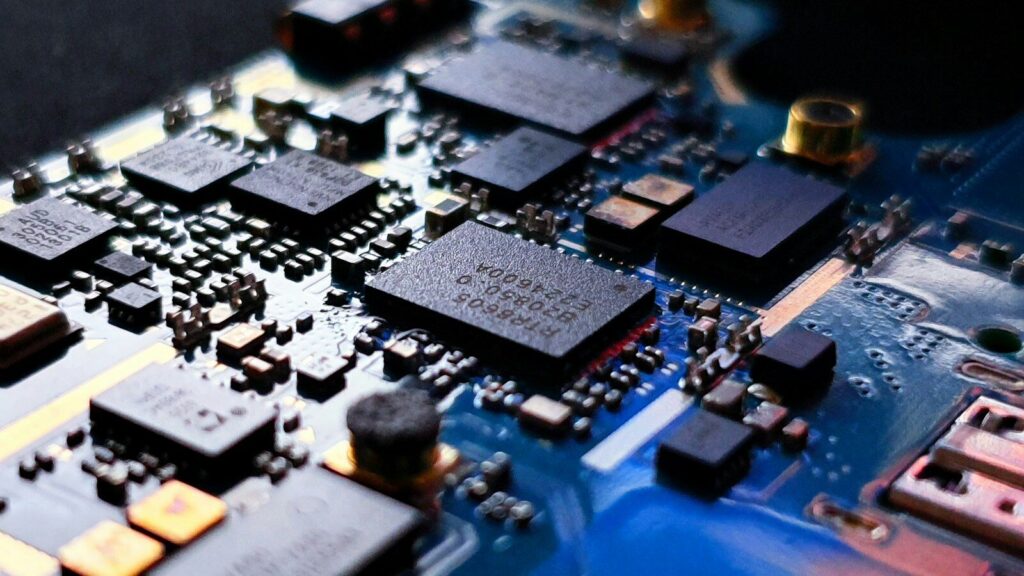
Component quality is proven in stages, not at the end. Incoming inspection confirms that the parts match the order, automated optical inspection confirms that placement and soldering are correct, X-ray confirms what the surface hides, and in-circuit and functional testing confirm that the finished assembly behaves like the design.
Incoming quality control is the first gate, catching wrong parts and reversed reels before they reach the line. Automated optical inspection then checks every joint against the IPC acceptability standards for the class the product is built to, which matters most on bottom-terminated packages where a missing joint under a pad is invisible from above. In-circuit testing measures the passive network and checks for opens and shorts, and functional testing runs the board the way the product actually runs. The point isn’t to catch a bad supplier. It’s to find a problem while the board is still a board.
Why buyers hand component sourcing to one partner
Splitting fabrication, component purchasing, and assembly across three vendors creates three places for a problem to hide. A single partner holds the BOM, the board, and the build schedule together, so an obsolete part or a mismatched package gets caught before the panel is loaded rather than after the first shipment fails in the field.
Most printed circuit board manufacturers quote fabrication and assembly separately, and that’s where the handoffs start. Slpcba runs PCB fabrication, component sourcing, and assembly under one roof, so nobody has to mediate between a board house and a parts broker. The component desk holds stock across a broad range of models with a 48-hour dispatch window on in-stock lines and a three-level inspection process covering appearance, electrical parameters, and reliability, backed by COC and COO paperwork.
Quotes are built around how buyers actually work. Upload a BOM in Excel, PDF, or Altium format, and the service parses it, flags alternatives, and returns a tiered quote covering prototype, small batch, and volume pricing within 24 hours. Prototype orders start at a single piece with no engineering fee, and small batches from 50 to 1000 pieces carry volume pricing and free shipping.
Fabrication covers up to 32 layers, more than 30 surface finishes, and a dimensional tolerance of plus or minus 0.2 mm, with 100% electrical testing and automated optical inspection on every panel and UL-certified materials throughout. High-reliability programs are built to IPC Class 3 requirements and verified with thermal cycling and stress testing. Assembly handles packages down to 0201, BGA and VFBGA, chip-scale packages, double-sided surface mount, and fine pitch placement, with BGA rework and reballing available for repair rather than replacement.
If you’re holding a components list and wondering whether it’s buildable, send it over. Upload your BOM, and a faster PCB assembly team will come back with pricing, alternatives, and lead times on the lines that matter.
FAQ
Can a circuit board work without active components?
Yes, and plenty do. A passive-only board can split a signal, filter noise, match an impedance, or divide a voltage. What it can’t do is amplify, switch, or decide anything, so a board with no active parts is a signal-conditioning board rather than a control board. Most products still need at least one active device, even if it’s only a regulator holding a stable rail for the passive network around it.
Which components should never be reused from a salvaged board?
Treat every electrolytic capacitor as a consumable. The electrolyte dries out over time and with heat, so a salvaged part can measure correctly on a bench and fail months later under load. The same caution applies to anything that absorbed thermal stress, including power semiconductors with discolored tabs and any part with a cracked or reflowed package. None of them belong in a production build, because salvage carries no traceability.
How far ahead should I buy components for a production run?
Start with the longest lead time on the BOM rather than the average, and work backwards from your build date. Long-lead items are usually active silicon and power management parts, so those lines set the schedule. Then layer the risk on top: single-source parts, parts near a lifecycle change, and parts in allocation all deserve earlier commitment. A rolling forecast with firm orders for the near-term window and forecast visibility beyond it keeps you in the allocation queue without tying up cash.