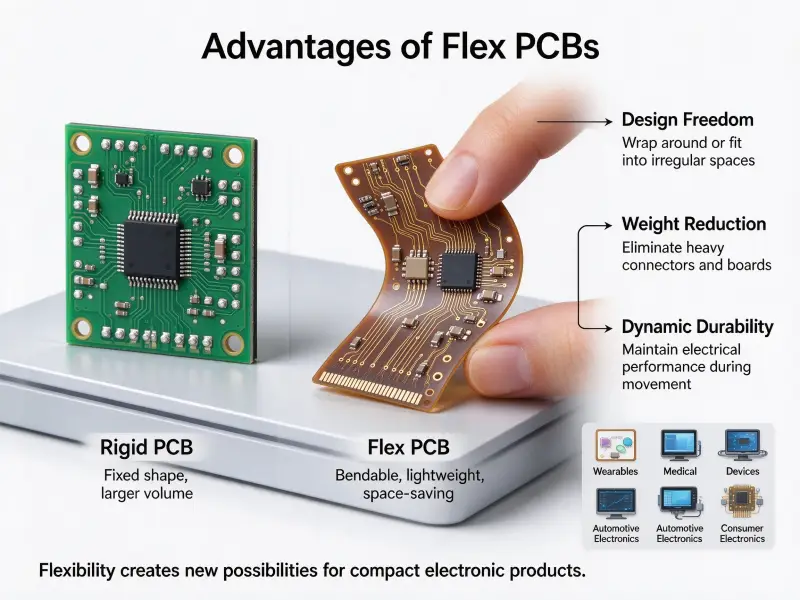
A design that has to move 300 A will not do it on copper traces alone. Traces are etched from foil measured in ounces per square foot, so once a project passes roughly 100 A, the width a trace needs stops fitting on the board. Engineers working on battery packs, inverters, and motor drives hit that ceiling early, and the usual answer is to move the power path off the trace layer and onto a solid copper bar. Building it takes a partner who can laminate thick copper, form and plate the bar, and assemble the finished board, which is the kind of work an OEM PCB PCBA contract manufacturing supplier takes on at the prototype stage.
A horizontal PCB busbar is a solid copper conductor laid across or inside a printed circuit board to carry current that traces cannot. It sits in the plane of the board rather than standing up off it, and it reaches the circuit in one of three ways: soldered onto heavy surface pads, laminated into the stack-up, or bolted through the board at terminals and screw posts. A horizontal busbar carries hundreds of amps, spreads heat through a large copper cross-section, and gives the assembly a rigid interface where heavy cables and power modules connect.
On paper the structure looks simple. In production it changes the stack-up, the drill program, and the assembly sequence, so the rest of this guide works through sizing, design rules, and the checks that decide whether a quote comes back realistic.
What is a horizontal PCB busbar?
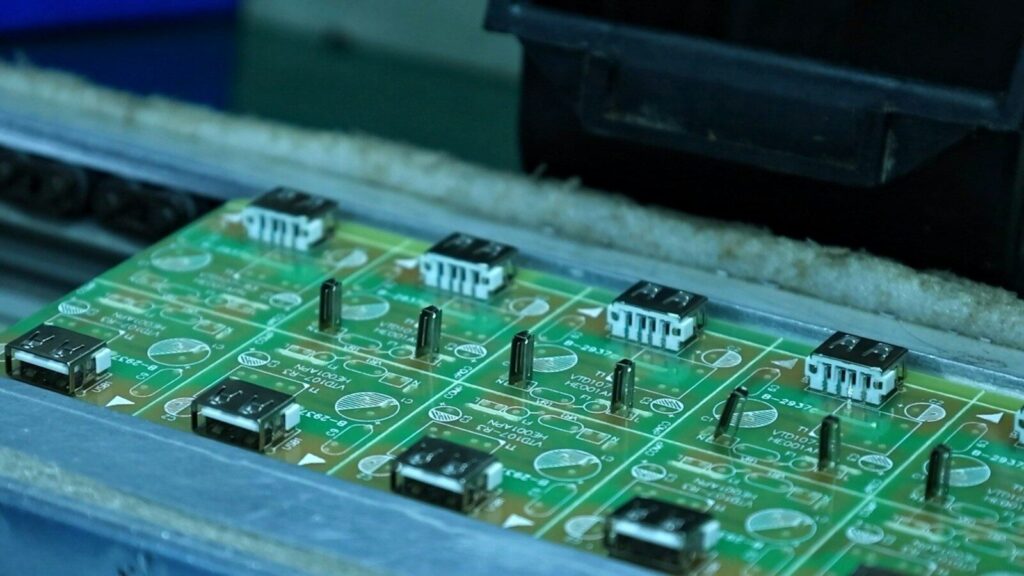
It is a bar, strip, or preformed plate of high-conductivity copper that runs along the board plane and carries current in place of a trace. The horizontal orientation is what separates it from a bar that rises vertically off the board to link stacked assemblies. Because the conductor lies flat, it can be soldered at surface pads, laminated between layers, or fastened with screws, and each of those choices changes the mechanical design around it.
A busbar is nothing exotic. It is a conductor in bar form, used wherever a cable would be too bulky or a trace too thin. What varies is how that bar meets the printed circuit board. Five structures show up most often:
- A flat bar soldered onto exposed heavy-copper pads on the top or bottom surface
- A formed bar with terminals that passes through plated slots and is soldered or press-fit
- A bar laminated inside the multilayer stack, isolated by prepreg and joined by plated pockets or vias
- A copper inlay or coin pressed into a milled pocket and sealed with resin
- A machined plate that doubles as the mounting structure for power modules
The job is the same in each case. The bar carries current with less resistance than an etched trace, spreads heat into a mass of copper, and provides a mechanical point where a cable lug, screw terminal, or module can be fastened. On a high-current board, the bar often does all three at once, which is why it ends up on the drawing before the layout is finished.
How a horizontal busbar differs from a vertical one
The two orientations solve different assembly problems.
| Aspect | Horizontal busbar | Vertical busbar |
|---|---|---|
| Position | Lies in the board plane | Stands off the board |
| Main use | Board-level power path and terminal interface | Linking stacked boards or a backplane |
| Height | Low profile, fits inside a flat enclosure | Consumes vertical space |
| Support | Sits on pads or laminates into the stack | Needs brackets or housing to stay rigid |
| Heat path | Spreads into the board and any heatsink below | Exposes more surface to moving air |
A horizontal bar is the choice when the product has to stay thin. A vertical bar makes sense when the power has to travel between boards and the enclosure already has the room.
Where the copper sits in the stack-up
Placement decides the fabrication route.
A surface-mounted bar is the simplest to build. The board is fabricated with heavy copper pads, and the bar is reflowed or wave-soldered during assembly, which keeps the printed circuit board design close to a standard power board and pushes the extra work into the assembly step.
An embedded bar is laminated into the stack. That means a thicker board, a controlled resin fill around the copper, and tighter control of flatness, because any imbalance in copper distribution shows up as warpage after lamination. Vendors who publish a board thickness range up to 8 mm can usually accommodate this, but the stack-up should be agreed upon before the artwork is released.
A pocketed inlay sits between the two. The copper block is pressed into a routed pocket, then filled and planarized, which localizes the thick copper to one area instead of thickening the whole panel.
Why a horizontal busbar beats wider copper traces
Traces run out of room long before they run out of current demand. A busbar solves that by adding cross-sectional area outside the etching process, so the current path grows without forcing the entire board into a thick-copper process. The result is lower resistance, less voltage drop, better heat spreading, and a connection point that heavy cables can actually be fastened to.
The arithmetic is the same one every power engineer runs. Resistance falls as cross-sectional area rises, and the heat a conductor produces is I²R, so a larger copper section reduces loss on both ends. The question is where that extra copper comes from. Etched foil tops out at whatever weight the fabricator can reliably process, and as copper gets thicker, the minimum trace width and spacing grow with it, which crowds the rest of the layout.
The IPC standard for determining current carrying capacity in printed board design, IPC-2152, is the usual starting point for trace sizing. Its curves describe a single trace in still air, which is a helpful baseline and a poor description of a real board sitting in a sealed enclosure next to switching devices. Designers who read the chart literally tend to under-derate, and the gap shows up as a hot board in the first thermal test. A separate conductor sidesteps the problem because the copper is bought only where current flows instead of across the whole panel.
The practical gains look like this:
- A larger cross-section without a whole-board heavy-copper process
- Lower voltage drop on low-voltage rails, where an IR loss that looks small on a 48 V bus can matter on a 3.3 V rail
- Heat spreading through solid copper, which moves hotspots away from the components that generate them
- A rigid mounting point for terminals, lugs, and power modules
- Fewer parallel wires and connectors, which shortens the assembly and simplifies service
- Easier field replacement, since a bolted connection can be undone
Horizontal busbars vs. heavy copper PCB vs. copper inlay
All three add copper, but they add it in different places. Heavy copper raises foil thickness across the board, a copper inlay puts a block of copper in one hot area, and a horizontal busbar creates a separate current path with its own mechanical interface. Plenty of high-current boards end up using two of the three together.
| Approach | How the copper is added | Where it fits | Trade-off |
|---|---|---|---|
| Heavy copper printed circuit board | Thicker foil on one or more layers | Current spread over a wider area, power planes | Etching, spacing, and solder mask control tighten as thickness rises, and the whole panel is affected |
| Copper inlay or coin | Pre-formed block pressed into a routed pocket | Local hotspot under a power device | Needs tight pocket tolerance and a controlled resin fill |
| Horizontal busbar | Separate bar soldered, laminated, or bolted | A defined high-current path and a terminal interface | Adds an assembly step and mechanical design work |
| Combined build | Bar landed on a heavy-copper area. | Above roughly 100 A with both thermal and mechanical demand | Requires DFM review before the artwork is frozen |
Cost is not decided by the price of the bar. It is decided by how much of the panel has to be processed as thick copper, how many assembly steps the bar adds, and how much board area the current path frees up. A moderately heavy copper board with one bar is often cheaper than a board made entirely from very thick foil, because the expensive copper ends up only where the current runs.
When heat rather than current is the dominant problem, the answer changes again. A metal-backed construction such as a metal core PCB manufacturer (MCPCB) platform moves heat into an aluminum or copper base and out of the components entirely, which suits LED drivers and compact power stages where the current path is already solved.
A short decision guide:
- Use heavy copper when current is moderate and heat can spread across the board
- Use an inlay when the heat source is local and the rest of the board is standard
- Use a horizontal busbar when the current path is defined, when the connection is mechanical, or when the board must interface with cables and modules
- Combine them when thermal and mechanical requirements arrive at the same time
How much current can a horizontal PCB busbar carry?
Ampacity is set by cross-sectional area, the temperature rise you will accept, ambient temperature, and how the bar is mounted. Published tables give the starting point: a 6.4 × 25.4 mm copper bar at a 30°C rise carries around 400 A, and doubling the width raises that to roughly 710 A. Those numbers assume one bar in free air, so a real design needs margin on top.
The table below is drawn from the Copper Development Association ampacity data for Copper No. 110, at an emissivity of 0.4 and a 40°C ambient, for a horizontal run on edge (checked 14 September 2026).
| Bar size (mm) | 30°C rise | 50°C rise | 65°C rise |
|---|---|---|---|
| 3.2 × 25.4 | 270 A | 360 A | 415 A |
| 6.4 × 25.4 | 400 A | 530 A | 620 A |
| 6.4 × 50.8 | 710 A | 940 A | 1,100 A |
| 9.5 × 50.8 | 880 A | 1,150 A | 1,350 A |
| 12.7 × 50.8 | 1,000 A | 1,350 A | 1,550 A |
| 19.1 × 101.6 | 2,050 A | 2,750 A | 3,150 A |
Several factors move those figures, and a design has to account for all of them.
Temperature rise target comes first. The Copper Development Association recommends designing the conductor for a 30°C rise above ambient or less and notes that rises above 65°C are neither recommended nor energy efficient. Wide temperature rise numbers look attractive on a datasheet and expensive on an electricity bill.
Ambient temperature is the second input. The published figures assume 40°C surroundings. An enclosure that runs at 60°C removes a large part of the margin before any current flows, so the ambient used for sizing should be the worst case inside the box, not the room the box sits in.
Orientation changes convection. The tables assume a horizontal run on edge. Laying a bar flat against a board reduces the surface available for natural convection, which is why the same bar carries less when it is bonded to the laminate rather than standing free.
Surface condition affects radiation. The 0.4 emissivity value comes from bars exposed to an industrial environment for 60 days. Plating, oxidation, and paint all shift that number, and a darker, higher-emissivity surface dissipates more heat. The Copper Development Association notes that surface treatments that raise emissivity are available and that ampacity can be increased through them.
Stacking is nonlinear. Two bars close together do not carry twice the current of one, because each heats the other. The same source shows that multiple busbars interact in a way that does not scale linearly, which is worth remembering whenever a design splits current between parallel bars.
Finally, the joints matter. Contact resistance at a screw terminal or a soldered pad adds local heat that no ampacity table captures. A poorly torqued bolted connection can run hotter than the bar it terminates, so terminal selection and assembly torque belong in the same review as conductor sizing.
For all of these reasons, most power designs keep 25 to 30 percent of headroom between the calculated figure and the intended continuous load and treat the published tables as a starting point rather than a specification.
Where horizontal PCB busbars are used
They appear wherever a board has to move serious current into or out of a small space. The pattern repeats: a low-voltage rail with high current and a mechanical connection to a cable, module, or terminal.
- Electric vehicle battery modules and pack distribution boards
- Energy storage racks and battery management hardware
- Onboard chargers, DC-DC converters, and charging piles
- Motor drives, servo amplifiers, and relay control modules
- Industrial power control panels and welding equipment
- Data center rack feeds, where 48 V is distributed at high current
- High-power LED and laser drivers
- Aerospace and defense power systems, where vibration and thermal cycling add to the electrical load
If a product uses battery terminals, high-current relays, screw connections, thick cables, or a power module, the current path is worth reviewing before the layout is fixed.
Design rules for horizontal PCB busbars
Start with the current path, not the board outline. Fix continuous and peak current, ambient temperature, and the connection method first, then size the bar, pick the material, and lay out pads and holes around it. Pad mass, hole tolerance, thermal path, and clearance all follow from those three inputs.
Material, plating, and surface finish
Copper is the default because it conducts well and carries heat away from the joint. High-conductivity grades in the range of 99 percent IACS conductivity behave as the published tables expect, and the plating on top decides contact resistance and emissivity. Tin plating is common on soldered and bolted joints because it keeps the surface solderable and limits oxidation. Nickel and gold finishes appear where the joint has to survive repeated mating or a corrosive environment. The finish should match the joint type rather than the datasheet preference, since a finish chosen for appearance adds cost without improving the connection.
Aluminum shows up in weight-sensitive products. It is roughly a third the density of copper, but it conducts less well and forms a resistive oxide layer, so the bar has to be larger and the joint needs a proper treatment. For most board-level work, copper wins on size and reliability.
Pad area, holes, and mechanical fixation
The bar is only as good as the joint beneath it. The pad has to carry the same current into the board without becoming the bottleneck, which usually means heavy copper pads, a generous copper area around the mounting point, and thermal vias under the footprint so heat has somewhere to go.
The fixation method drives the hole design. A soldered bar needs a pad large enough for the intended solder volume. A press-fit bar needs a controlled hole with tight tolerance, and fabricators who publish values such as ±0.05 mm on press-fit holes give the designer a number to work with. A bolted bar needs clearance holes, a flat seating surface, and enough fasteners to spread the mechanical load. Published minimum drilling and aspect ratio figures matter here too, because a thick board with a small hole is a plating risk rather than a design feature.
Two details cause most of the trouble in this stage. The first is single-point fixation, which lets the bar move under thermal cycling and eventually cracks the joint. The second is ignoring solder joint stress, since a large bar expands and contracts at a different rate from the laminate, and the mismatch concentrates at the pad edges.
Thermal path, creepage, and clearance
Heat leaves a busbar in three directions: along the bar, into the board, and into the air. The first is handled by the conductor itself. The second needs copper pours, thermal vias, or a metal base if the board cannot absorb the load. The third depends on the enclosure, and a bar that runs close to the housing wall with no airflow will behave quite differently from the same bar in an open chassis.
Clearance is the other constraint, and it scales with voltage rather than current. A high-voltage bar needs enough spacing to the neighboring conductor and to any enclosure metal, and that distance should be checked against the applicable safety standard early, since clearance can end up driving the board outline more than the electrical design does.
DFM checklist before you request a quote
Most busbar problems are cheaper to catch on a drawing than on a panel. A sound PCB assembly design guide review covers the following before the artwork is released:
- Continuous, peak, and surge current for every high-current net
- Allowed temperature rise and the worst-case ambient inside the enclosure
- Bar size, cross-section, and the material grade behind the calculation
- Connection method for each end: solder, press-fit, bolt, or welded tab
- Pad area, copper weight, and thermal via pattern under the bar
- Hole sizes, tolerances, and plating requirements for the fixation points
- Board thickness, stack-up balance, and the flatness the assembly can tolerate
- Surface finish on both the bar and the mating pads
- Access for inspection, torque tools, and rework
Manufacturing challenges to control on busbar PCBs
The bar is a mechanical part as much as an electrical one, and the steps around it are where projects fail. Positioning, resin fill, lamination pressure, flatness, drilling near thick copper, and plating thickness all need process control, which is why a busbar board should never be quoted as a standard laminated printed circuit board.
Lamination and resin filling around copper bars
Embedded bars sit inside a stack that has to bond around a thick, stiff insert. Resin has to fill the space beside the bar without voids, and the pressure cycle has to close around the copper without starving the surrounding prepreg. Left uncontrolled, the result is a void next to the conductor, which shows up later as delamination during thermal cycling.
Flatness, drilling, and plating near thick copper
Thick copper changes how a board behaves mechanically and how it drills. Imbalanced copper distribution pulls the panel during lamination, so a busbar board usually wants copper balanced across the stack even when the electrical design does not care. Drilling near a thick copper section is harder on the bit and on hole wall quality, and plating has to build uniform copper inside holes that sit next to a large heat sink of copper. Vendors publishing an aspect ratio limit for mechanical drilling are telling you where that risk starts.
Inspection, testing, and repeatability
A busbar assembly cannot be checked by eye alone. Solder joint quality around a large pad, hole wall integrity next to thick copper, and the resistance of the finished joint all need their own checks. Electrical testing and automated optical inspection catch the routine defects, while resistance measurement or a load test on the first article confirms that the joint behaves as the calculation predicted. Repeatability matters more here than on a signal board, because the same defect on a 200 A path is a reliability problem rather than an inconvenience.
How to specify a horizontal PCB busbar project
Send the electrical requirement, the mechanical interface, and the environment. A printed circuit board manufacturer can size the conductor, choose the copper weight, and confirm whether the structure is manufacturable only after seeing continuous and peak current, ambient temperature, board outline, connection method, and expected volume.
A complete enquiry usually covers:
- Continuous and peak current per net, plus duty cycle
- Allowed temperature rise and the maximum ambient inside the enclosure
- Board outline, thickness limit, and height budget
- Connection method at each end and the mating terminal or module drawing
- Preferred stack-up and copper weight
- Bar material, dimensions, and plating
- Surface finish for the board
- Quantity, expected annual volume, and repeatability requirements
- Test and inspection requirements, including any load test on the first article
It also helps to know what the fabricator can actually build. The figures below are published on the capabilities page for printed circuit board material and process limits at slpcba (checked 14 September 2026).
| Parameter | Published capability |
|---|---|
| Maximum layer count | 60 |
| Inner-layer maximum copper | 6 oz |
| Outer-layer maximum copper | 10 oz |
| Board thickness range | 0.2 to 8 mm |
| Minimum mechanical drill | 0.15 mm |
| Minimum laser drill | 0.1 mm |
| Mechanical drill aspect ratio | 20:1 |
| Press-fit hole tolerance | ±0.05 mm |
| Maximum board size | 22.5 × 30 in |
| Surface finishes | ENIG, immersion silver, immersion tin, HASL (lead-free), OSP, ENEPIG, hard and soft gold, nickel palladium |
A 10 oz outer layer is the practical ceiling for etched copper in that range, which is exactly where busbar designs start. Boards built to these limits are manufactured against IPC Class 3 requirements for high-reliability applications, use UL-certified materials, and go through 100 percent electrical testing and automated optical inspection, with thermal cycling and stress testing available for power products that will see temperature swings in service.
For most projects the sensible route is to run the high-current path on the bar and keep the rest of the board on standard construction, then let a single supplier handle fabrication and assembly. That combination is what a faster PCB assembly line is set up for, since the bar has to be placed, soldered, and inspected in the same sequence as the rest of the components. Sending the files in for an engineering review returns the DFM notes and the quote together, which is faster than discovering the fit problem after the panels are cut.
FAQ
Are horizontal PCB busbars soldered or bolted to the board?
Both, and the choice follows the current and the service requirement. Smaller bars are usually reflowed or wave-soldered onto heavy pads, which keeps assembly inside the normal surface mount flow. Heavier bars that terminate a cable are bolted or press-fit, because a bolted joint can be torqued to a specification and opened for service. Some designs use both: soldered at the board end and bolted at the cable end.
Can a busbar be embedded inside a multilayer PCB?
Yes, and it is a common way to keep the profile thin. The bar is laminated into the stack as a thick copper layer and connected to the rest of the circuit through plated pockets, slots, or vias. It requires a thicker board, a controlled resin fill, and careful balancing of copper across the layers, so it should be reviewed by the fabricator before the artwork is finalized.
Does a horizontal busbar replace a heavy copper PCB entirely?
No. Most high-current boards use both. The logic, control, and moderate-power sections stay on standard or heavy copper, and only the main current path moves onto the bar. That split keeps costs down, because thick copper is used where it earns its place instead of across the whole panel, and it keeps the power path serviceable.