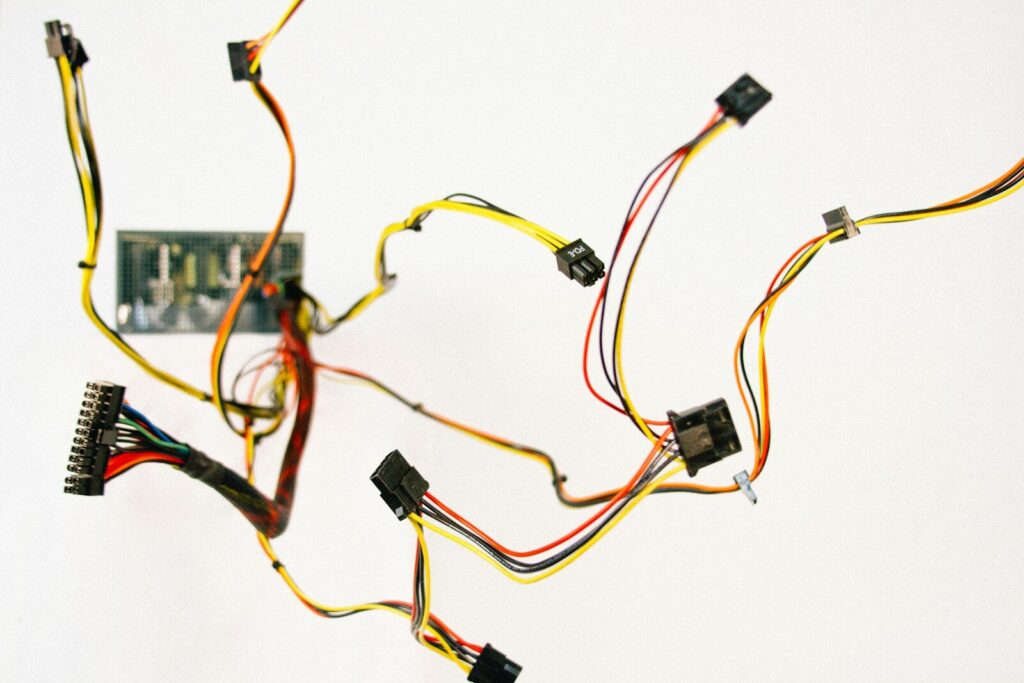
A printed circuit board (PCB) almost never works alone. Power arrives from a supply, signals leave for a display or a motor, and at some point a technician has to pull one board out without cutting a wire. Those jobs fall to the connector. Where the board meets the rest of the machine through a wire harness, the connector also decides how that harness terminates, how much strain lands on the solder joints, and how long the assembly lasts.
Connectors for printed circuit boards are the parts that mount to a board and carry signals, power, or both between that board and something else: another board, a cable, a discrete wire, or a removable module. Most catalogs sort them into three groups by what they join—board-to-board, wire-to-board, and wire-to-wire—and each group then splits into families with their own pitch, pin count, and mounting style.
The sections below walk through those families, the ratings behind them, and the checks that stop a connector from becoming the reason a board fails.
What a printed circuit board connector actually does
A PCB connector does two things at once. It carries current or signals across a joint, and it lets that joint be made and broken without destroying the board. The housing, the latch, and the plating all exist to serve those two jobs.
Electrically, it comes down to contact resistance. Two metal surfaces press together with a set force, current passes through the area where they actually touch, and that area sets the resistance and the heat. A few milliohms per contact sounds small until sixteen loaded contacts sit in a sealed enclosure with no airflow.
Mechanically, a connector gives you something a solder joint can’t: a controlled number of mating cycles, a defined insertion force, and a way to hold the joint together under vibration. That’s why products get built as subsystems, each testable on its own and plugged together on the line. In the printed circuit board assembly flow, though, connectors sit in an awkward spot: some reflow with everything else, others are too tall or too heat-sensitive and need selective or hand soldering afterward.
The three connector categories and the main PCB connector types
Sort connectors by what they join, and the catalog gets smaller. Wire-to-board connectors terminate wires or cables onto a board. Board-to-board connectors join two boards directly. Wire-to-wire connectors join two cable ends and usually never touch a board. Every other name you run across is a family inside one of those three.
The ranges below are industry-wide figures, not a promise from any single part. Use them to shortlist a family, then confirm the numbers against the datasheet you plan to buy from.
| Type | Mounting | Typical pitch | Current per contact | Mating cycles | Best use |
| Pin header and socket | Through-hole or SMT | 2.54 / 2.00 / 1.27 mm | 1–3 A | 25–100 | Jumpers, prototyping, board stacking |
| Board-to-board, mezzanine | SMT | 0.4–2.54 mm | 0.3–1.5 A | 20–500 | Stacking boards in a tight enclosure |
| Wire-to-board | Through-hole or SMT | 1.0–5.08 mm | 1–15 A | 20–50 | Power input, sensors, battery leads |
| FFC / FPC | SMT | 0.3–1.0 mm | 0.5 A per contact | 10–30 | Displays, cameras, flex links |
| Card edge | Board edge into a slot | 0.8–2.54 mm | 1–3 A | 50–100+ | Memory and expansion cards |
| Terminal block | Through-hole | 3.5–7.62 mm | 10–41 A | 100–500+ | Power and field wiring |
| RF and coaxial | Through-hole or SMT | Set by impedance | Signal level | 30–500 | Antennas, RF signal paths |
| I/O (USB, HDMI, RJ45) | Through-hole or SMT | Set by the standard | Set by the standard | 1,500–10,000 | External ports |
Board-to-board and mezzanine connectors
These join two boards face to face with no cable between them. Pitch runs fine, 0.4 mm to 0.8 mm on phones and wearables, and 1.27 mm or 2.54 mm where vibration or hand assembly matters more than density. Stack height, the gap between the boards once mated, typically lands between 1.5 mm and 20 mm and has to clear the tallest part already on the baseboard. Floating versions allow roughly half a millimeter of movement so board tolerances don’t turn into cracked solder joints. At the fine end, ground referencing and controlled impedance stop being optional.
Wire-to-board connectors
PCB connector wire-to-board is where most industrial products live. One half sits on the board, the other crimps or pierces onto a wire, and a latch holds the pair together. The pitch runs larger than on-board-to-board parts because the current runs higher and the wire needs room to terminate. PCB wire connectors here also have to deal with strain: without strain relief, every tug on the cable goes into the solder joints, and joints absorb that far worse than a housing does.
Pin headers, sockets, and PCB connector pins
The PCB connector pins on a header are the simplest form of the whole idea, a row of posts on a set pitch that a socket or wire housing pushes onto. Pins come in square or round sections, straight or right-angle, and in tin or gold plated. The 2.54 mm pitch is still everywhere because it suits hand assembly and prototyping; 2.00 mm and 1.27 mm save area once a machine does the placing.
Card edge, backplane, and terminal blocks
A card edge connector turns the board itself into the plug, with gold fingers along one edge sliding into a receptacle. Backplane connectors do the same job at far higher pin counts inside rack systems. Terminal blocks sit at the opposite end, screw or spring clamp, 10 A and up.
How printed circuit boards connect to each other
Two boards can be joined directly through a board-to-board or mezzanine connector, stacked with pin headers, mated edge-to-edge through a card edge slot, or linked at a distance with a cable, a flexible circuit, or a wire harness. The right answer depends on the current, the gap between the boards, and whether anything has to come apart later.
How to connect two PCBs together
Start with distance. Under 20 mm, a mezzanine connector or a header stack is usually cheapest. Past 30 mm, a tall stack starts to resonate and fatigue under vibration, so a cable or a rigid-flex section is the more reliable answer. Then check current: fine-pitch board-to-board parts top out around 1.5. A per-contact, so power often needs its own wire-to-board connector. Finally, count the service cycles. A part rated for 30 cycles suits a product assembled once; a panel opened twice a year needs a different one, and one is reachable without stripping the enclosure.
What FFC and FPC connectors are
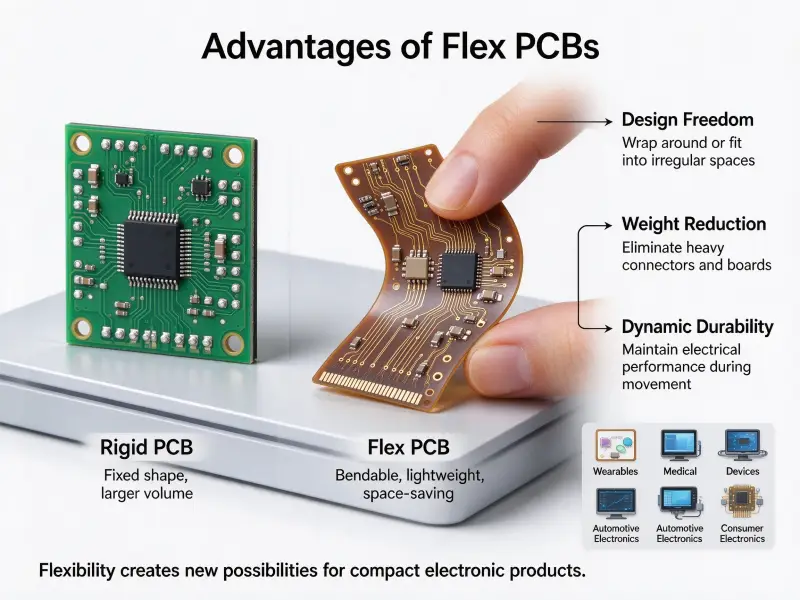
FFC stands for flat flexible cable, a ready-made ribbon of parallel copper conductors laminated between plastic film. FPC stands for flexible printed circuit, a real circuit etched on polyimide that can carry components and bend. The connectors look alike and are usually sold as one FFC/FPC part, but the two media are not the same thing.
| Feature | FFC | FPC |
| Build | Parallel tinned copper foil pressed between PET film | Copper traces etched on polyimide |
| Routing | Straight, parallel, one-to-one only | Curved, branched, multilayer, impedance controlled |
| Components | None mountable | Resistors, capacitors and ICs mount directly |
| Typical pitch | 0.5 mm, 1.0 mm | 0.3 mm, 0.5 mm |
| Heat | Limited, not reflow solderable | Withstands reflow soldering |
| Bending life | Thousands of cycles | Tens of thousands upward, with rolled copper |
| Cost | Lower, standard lengths in stock | Higher, made to drawing |
Most of these use a ZIF (zero insertion force) or LIF (low insertion force) mechanism: open a slider or flip lock, the cable slides in with no force, then the lock closes and clamps it. The cable end usually needs a stiffener, often a thin polyester tab, so the contacts line up and the cable doesn’t fold as you push.
The practical rule: a cheap point-to-point link that gets plugged once is an FFC job. A link that routes around a corner, carries components, or flexes every day is an FPC job.
PCB connector pins: pitch, plating, and current rating
Pitch sets density and current together. Plating sets how the contact ages. The current rating is quoted at room temperature in free air, so the datasheet number is a starting point, not what your enclosure will see.
Fine pitch buys density and gives up current: 0.3–0.8 mm parts run roughly 0.3–1 A per contact, 1.0–1.27 mm around 1–3 A, 2.0–2.54 mm around 3–7 A, and 3.96 mm upward handles 10–20 A. That’s why power rarely travels on the same connector as high-density signals.
Plating matters more than most people expect. Gold doesn’t oxidize, so it holds a stable contact resistance through humidity and corrosive atmospheres, and it’s the usual pick for low-current signal contacts and high mating cycle counts. Tin costs less but forms an oxide; the contact has to break through, so it needs higher contact force and suits fewer cycles.
Derating is where field failures come from. Ratings assume a cool ambient and one loaded circuit; heat the enclosure and load several contacts at once, and the safe current drops. Work out the worst-case ambient inside the housing, add the rise from resistive losses, and check that the total against the housing material’s limit.
Through-hole, SMT, and press-fit mounting
Through-hole pins pass through drilled holes and give the strongest mechanical retention. SMT parts sit on pads and reflow with everything else. Press-fit contacts go into plated holes with no solder at all. Each trades strength against assembly cost.
| Method | Retention | Assembly | Notes |
| Through-hole | High | Wave, selective, or hand soldering | Best where cables get pulled or boards vibrate |
| SMT | Moderate | Reflow with the rest of the board. | Cheapest at volume; needs locating pegs on larger parts |
| Press-fit | High | Cold insertion, no reflow | Suits backplanes; needs tight hole tolerances |
Through-hole is the usual choice for wire-to-board parts that get unplugged in service, because the solder fillet in the barrel takes the load instead of the pad surface, though it adds a wave or selective soldering step. SMT wins on cost at volume, since the connector goes down in the same placement pass as everything else. The catch is shear load on the joints, which is why larger parts carry through-hole locating pegs or metal brackets next to the signal pads.
If you’re planning the board around automated assembly, review how the connector gets placed and soldered with your faster PCB assembly partner before the layout is frozen.
How to choose a PCB connector
Work the constraints in a fixed order, and the shortlist writes itself: electrical first, then mechanical fit, then life and environment, then whether your factory can build it.
- Set the electrical envelope: worst-case current and voltage per contact with margin, and how many contacts load at once.
- Pick the category based on what sits on the other end.
- Fix pitch and pin count. Smaller pitch saves area but tightens tolerances and complicates handwork. Leave spare pins for grounding.
- Set the mechanical envelope: mated height, footprint, orientation, and the clearance needed to push the plug in.
- Count mating cycles, and add a latch you can feel or hear if the product gets serviced.
- Check the environment: temperature, humidity, vibration, dust, and whether the housing needs sealing.
- Confirm the footprint matches, the reflow profile fits, and the part is available in your quantity.
| Design factor | What to check | What fails if skipped |
| Current per contact | Rating with margin at worst-case ambient | Contacts overheat, and housing softens. |
| Pitch and footprint | Pads against the recommended land pattern | Misaligned parts, open joints |
| Mating cycles | Rated cycles against real service frequency | Contact wear, rising resistance |
| Vibration | Latch, strain relief, board support | Faults that vanish on the bench |
The mistakes that reach production are usually simple: a board-to-board connector carrying a high-current rail, no strain relief on a cable that gets pulled, pitch treated as proof of current capability, or mated height ignored until the enclosure no longer closes.
Layout and assembly checks before release
Most connector problems are layout problems by the time they reach the line. Pad geometry, keep-out zones, and board support decide whether a part solders cleanly and stays attached long before anyone plugs anything in.
- Match the footprint to the recommended land pattern, not a library part that looked close.
- Leave the keep-out the mating body needs; right-angle headers extend past the board edge, and a tall neighbor blocks insertion.
- Give through-hole pins enough annular ring, or the pad lifts during insertion or thermal cycling, and add thermal relief where pins meet large copper planes.
- Put standoffs near connectors that see repeated mating so the board takes the load, not the solder.
- Check that the housing and the printed circuit board material expand at compatible rates.
The generic requirements for mounting and interconnecting structures in a printed circuit board design are set out in IPC-2221, which covers the design principles for conductor spacing, land geometry, and component mounting that printed circuit board manufacturers work to.
Frequently asked questions
Can one connector carry both power and signal?
It can, and it often does, but the power contacts have to be sized for it. Mixed connectors usually dedicate positions to power with a wider contact and a larger pad and keep grounds between fast signal lines to control crosstalk. At higher current, splitting power onto its own connector is usually cheaper than over-specifying the whole part.
Why does a connector work on the bench but fail in the field?
Intermittent faults in the field usually come from movement or heat the bench never produced. Vibration works a friction-fit contact loose. Thermal cycling grows and shrinks the housing at a different rate from the board. Humidity and dust cut insulation resistance between adjacent pins. Testing inside the enclosure at the real operating temperature catches most of these before shipping.
Do I need gold plating on every connector?
No. Gold earns its cost on low-current signal contacts, on parts with many mating cycles, and on anything going into a humid or corrosive environment. Tin is fine for power contacts that are mated a few times and then left alone, as long as contact force is high enough to break the oxide on the first push.