A bare printed circuit board is a sheet of fiberglass and copper with no opinion about anything. It only becomes a working device once components are soldered onto it. For anyone specifying a board, sourcing parts, or reviewing a bill of materials before release, the difficulty is rarely the components themselves. It’s that component naming, marking, and package conventions differ between suppliers, between design tools, and between the engineers who write the drawings and the factories that build from them.
The components of a printed circuit board fall into four working groups: passive parts that manage current, semiconductors that switch and process signals, electromechanical parts that connect the board to the outside world, and protection parts that keep the rest alive. Each one carries a reference designator such as R12 or U3, printed on the silkscreen and recorded in the bill of materials. Reading those designators correctly, and matching them to the right package and value, is what separates a board that assembles cleanly from one that gets stuck in rework.
The sections below cover what each group does, how to identify parts on a populated board, and which factors drive component selection on a production run.
What are the components of a printed circuit board?
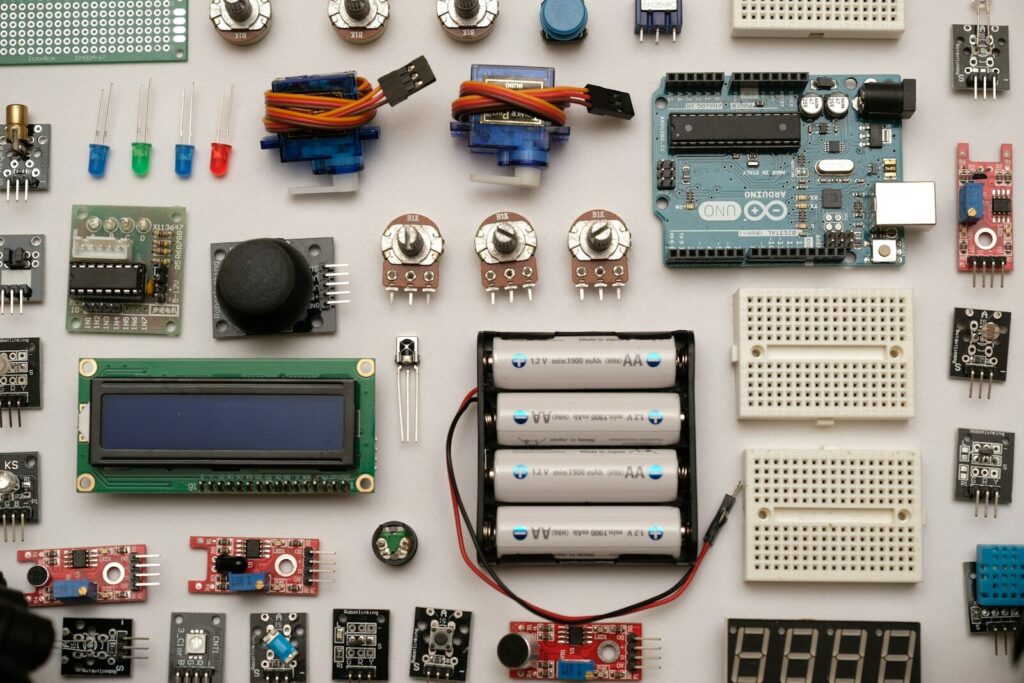
Components are the discrete electronic parts soldered to a printed circuit board (PCB): resistors, capacitors, inductors, diodes, transistors, integrated circuits, connectors, switches, relays, fuses, and protective devices. They sit on copper pads, connect through copper traces laminated into the board, and carry reference designators that match the schematic and the bill of materials. Without them, the board is a mechanical substrate with no electrical function.
A printed circuit board does three jobs before any component arrives: it holds parts in fixed positions, it routes connections between them through etched copper, and it carries printed markings that tell assemblers what goes where. The parts supply the behavior. The board supplies the structure. Which types of circuit board a product uses, and how densely its parts sit, comes down to how much the design has to do with the space available.
That split explains why component knowledge matters more at the purchasing and review stage than at the bench. A layout can be electrically correct and still fail production because a part was specified in a package the line cannot place, or because a value was copied from a reference design without checking the tolerance the circuit actually needs.
Passive components
Passive parts don’t generate or amplify signals. They manage energy: limiting current, storing charge, and resisting changes in current flow. They’re the most numerous components on nearly every board and the cheapest to substitute.
| Component | Designator | Function | Typical appearance |
| Resistor | R | Limits current, divides voltage, sets bias levels | Small rectangular chip (SMD) or cylindrical body with color bands (through-hole) |
| Capacitor | C | Stores and releases charge, filters noise, stabilizes voltage | Flat ceramic block, or cylinder with a polarity stripe for electrolytic types |
| Inductor | L | Stores energy in a magnetic field, opposes changes in current | Coil of wire, sometimes wound on a core or inside a shielded block |
| Ferrite bead | FB | Suppresses high-frequency noise on power and signal lines | Small dark chip or bead threaded onto a lead |
Resistors get their value from color bands on through-hole parts or from a printed code on SMD parts, where three or four digits encode the resistance. Capacitors are marked in microfarads or picofarads; ceramics usually aren’t marked at all at small sizes, so the bill of materials is the only reliable source.
Semiconductor components
Semiconductors need power to do their job, and they give a board its actual behavior. This group covers diodes, transistors, and integrated circuits.
Diodes pass current in one direction only. That property handles rectification, reverse-polarity protection, and clamping. Light-emitting diodes are diodes that emit light, used as status indicators and backlight sources. A stripe on the body marks the cathode, and assembly lines check that stripe against the silkscreen before reflow. Knowing PCB components and their functions well enough to read that stripe at a glance is what keeps a batch from coming back for rework.
Transistors switch and amplify. Bipolar junction transistors handle analog amplification well, while MOSFETs dominate power switching because they waste less energy as heat. Both appear in three-pin packages that are easy to mistake for one another at a glance, so part markings matter more than shape.
Integrated circuits pack thousands to millions of internal elements into one package. They carry the processing, memory, power regulation, and communication functions. There is no single most important component on a board, but ICs come closest to being irreplaceable: passive parts often have viable substitutes, while swapping an IC usually means a design review. Pin one is marked with a dot, a notch, or a chamfered corner that must line up with the corresponding pad marking.
Electromechanical and protection components
These parts handle the physical side of the board: getting power and signals in, giving users control, and surviving fault conditions.
- Connectors (J or P) bring power and data on and off the board. USB ports, HDMI receptacles, pin headers, and terminal blocks all fall here.
- Switches (SW) give manual control. Tactile, slide, rotary, and DIP styles each suit different panel and configuration needs.
- Relays (K) switch higher-power circuits using a low-power control signal, with electrical isolation between the two sides.
- Fuses (F) break the circuit when current exceeds a safe level. They sit close to the power input so they can interrupt a fault before it reaches anything expensive.
- Transient suppressors absorb short voltage spikes from electrostatic discharge or switching events.
- Sensors and transducers convert physical conditions such as temperature, light, or pressure into electrical signals for the ICs to read.
Protection parts are the easiest to cut during cost reduction and the most expensive to remove. A board that skips suppression may pass every functional test in the factory and fail in the field the first time someone handles it without a ground strap.
Printed circuit board material and how components seat on the board
Most boards use FR-4, a woven fiberglass cloth bonded with epoxy resin. Copper foil is laminated to one or both faces, etched into traces, and covered by a solder mask that protects the copper and prevents solder bridging. Silkscreen printing sits on top of the mask and labels every component position. Components attach to exposed copper pads, either soldered to the surface or inserted through drilled holes.
Material choice sets limits on everything downstream. FR-4 handles the temperature ranges of ordinary consumer and industrial electronics, but heat, high frequency, and mechanical stress all push designs toward other substrates. Metal-core boards move heat away from power components. Ceramic substrates suit applications where thermal expansion has to stay predictable. High-frequency laminates keep signal loss low at gigahertz frequencies. Each choice changes the assembly process and the range of components that can be mounted.
The copper layer carries the connectivity. Traces run signals between pads, vias connect traces on different layers, and pad geometry determines which component packages will fit. Pad design follows the manufacturer’s land pattern recommendations, and getting that wrong produces solder defects that no amount of process tuning will fix. Silkscreen is the part assemblers read most, so keep the text legible and clear of pads.
Deciding what goes where is a printed circuit board design task rather than a fabrication one, and it happens before the board exists. Placement, trace routing, layer count, and clearance rules all get settled in the layout file. By the time the design reaches fabrication, the component positions are fixed, and the remaining work is holding tolerances.
PCB component identification
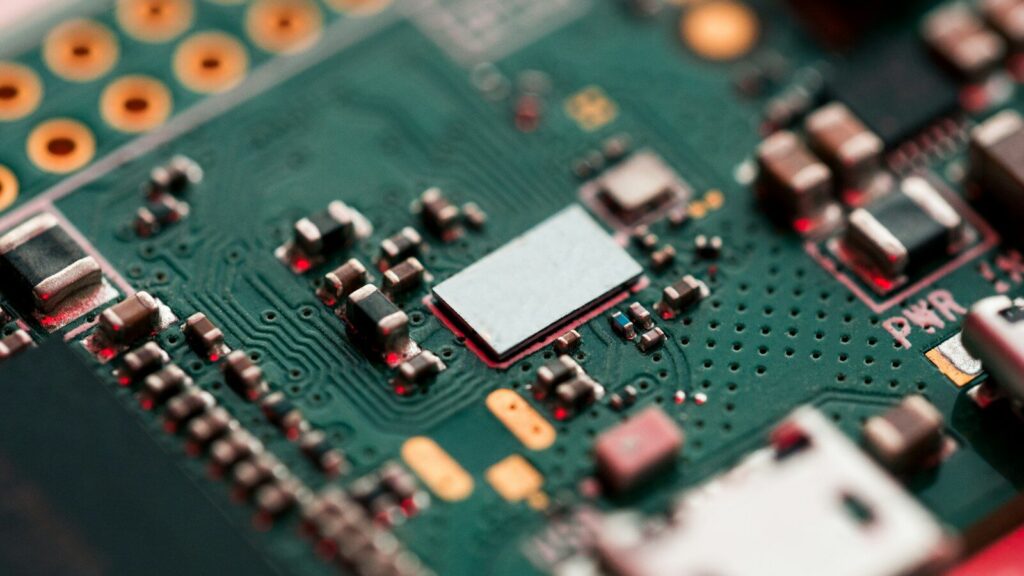
Start with the reference designator printed on the silkscreen next to each part. The letter prefix tells you the component type before you look at the part itself: R for resistor, C for capacitor, L for inductor, D for diode, Q for transistor, U for integrated circuit, J for connector, F for fuse, K for relay, and SW for switch. Once you know the type, confirm it by package shape, then read the body markings for value and part number, and verify against the schematic or datasheet when anything is unclear.
That order matters because it removes guesswork. The designator alone narrows thousands of possible parts down to one category, and the prefix system is consistent enough across manufacturers and tools that it works on boards from any supplier. The letter prefixes come from the IEEE 315 standard for electrical and electronic component designators, with the IEC 60617 symbol convention used widely in European designs. The IPC standards framework for design and assembly builds on the same conventions for footprint design and assembly acceptance, which is why a designator read in one country still means the same thing in another.
Read enough boards and you notice the same layout patterns repeating, which is what makes a circuit board parts diagram useful as a learning tool rather than a reference you consult once. Power conditioning sits near the input. Signal processing sits in the middle. Interfaces sit at the edges. Once you can name the sections on sight, you can read an unfamiliar board without its schematic.
That’s also why the same handful of parts shows up everywhere. A board built for a data logger and a board built for a motor controller share most of their component types, and their differences sit in the values, the package sizes, and how the sections are laid out.
| Prefix | Component | Notes |
| R | Resistor | Includes potentiometers, thermistors, and varistors as variants |
| C | Capacitor | Electrolytic, ceramic, tantalum, and film types share the prefix. |
| L | Inductor | Sometimes split out as FB for ferrite beads |
| D | Diode | Covers rectifiers, Zener diodes, Schottky diodes, and LEDs |
| Q | Transistor | Bipolar junction and field-effect types |
| U | Integrated circuit | Also seen as IC in older drawings |
| J or P | Connector or header | Includes sockets and test points in some conventions |
| F | Fuse | Overcurrent protection devices |
| K | Relay | Electromechanical switching |
| SW | Switch | Manual control components |
| Y or X | Crystal or oscillator | Timing reference for ICs |
| TP | Test point | Not a component, but a labelled probe location |
A practical identification sequence:
- Locate the designator on the silkscreen and read the prefix to establish the component type.
- Check the package shape against the expected type. Cylinders point to electrolytic capacitors or axial diodes. Flat rectangular chips point to SMD resistors and capacitors. Multi-pin black packages are ICs.
- Read the body markings for value or part number. Resistor color bands encode resistance; SMD resistors use a numeric code where the last digit indicates the number of zeros. ICs carry a full part number that resolves to a datasheet.
- Check polarity and orientation marks before anything else. Diodes have a cathode stripe. Electrolytic capacitors have a negative-side stripe. LEDs have a flat edge on the cathode side. ICs mark pin one with a dot, notch, or chamfer.
- Verify with a multimeter when markings are missing or ambiguous. Resistance mode confirms resistor values, diode mode confirms polarity and forward voltage, and continuity mode traces connections.
- Cross-check against the bill of materials. If the designator on the board and the entry in the bill of materials disagree, resolve it before assembly rather than after.
SMD and through-hole package styles
Surface-mount devices solder directly to pads on the board surface and dominate modern production because they’re smaller, cheaper to place, and suited to automated assembly. Through-hole components have leads inserted through drilled holes and soldered on the opposite side. They take more board space and cost more to assemble, but they hold up better under mechanical stress and are far easier to replace by hand.
The two styles are not competitors so much as tools for different jobs. A design that uses both is normal, and the mix usually says something about what the product is for.
| Factor | Surface-mount (SMD) | Through-hole (THT) |
| Board space | Low, parts sit flat on the surface. | High, each part needs a drill hole and clearance. |
| Mechanical strength | Weaker joints under bending and vibration | Stronger leads anchor the part through the board. |
| Assembly method | Reflow soldering, fully automated | Wave or hand soldering, more manual steps |
| Rework and repair | Difficult without hot air or rework stations | Straightforward with a soldering iron |
| Best suited to | Dense signal routing, consumer and computing boards | Power connectors, transformers, high-vibration environments |
The question of whether SMD is better than through-hole has no general answer. For a compact board with high component density, SMD is the only practical route. For a connector that carries significant current or takes repeated mechanical load, a through-hole part is often the safer specification even when an SMD equivalent exists. Mixed-technology assemblies are common, and the layout needs to plan for both processes from the start rather than adding one later.
Reference designators and documentation for procurement
Reference designators link three documents that must agree: the schematic, the bill of materials, and the physical board. The schematic defines function, the bill of materials defines the purchased part for each designator, and the silkscreen carries the designator onto the hardware. When all three match, purchasing can place orders directly from the bill of materials without cross-referencing symbols against a drawing.
In practice, the bill of materials is where most schedule risk lives. It states the value, tolerance, package, voltage rating, and manufacturer part number for every designator. A complete entry lets a purchaser find a substitute when the original part is out of stock. An incomplete entry forces the question back to engineering, and each round trip costs days.
Component categories split neatly by substitution risk, which is useful when a shortage hits:
- Passive parts (R, C, L) have high substitutability. Many equivalent parts exist across manufacturers at the same value and tolerance, so an approved vendor list often covers shortages.
- Active parts (U, Q) have low substitutability. Swapping a part usually requires checking pin compatibility, thermal behavior, and firmware implications. Datasheets define the electrical limits, so they belong in the same folder as the bill of materials rather than scattered across a shared drive.
- Connectors and mechanical parts (J, P) need physical verification. Footprint, pin pitch, and mating height have to match the drawing before ordering.
Sourcing components is usually where the bill of materials gets tested hardest. For teams that would rather not manage that process across multiple suppliers, B2B electronic components sourcing consolidates the purchasing step alongside the board build. The value isn’t speed alone. It’s that the same team reading the bill of materials is also placing the parts, so a mismatch between the specified package and available stock surfaces before the order is confirmed rather than after.
How to choose components for a new board
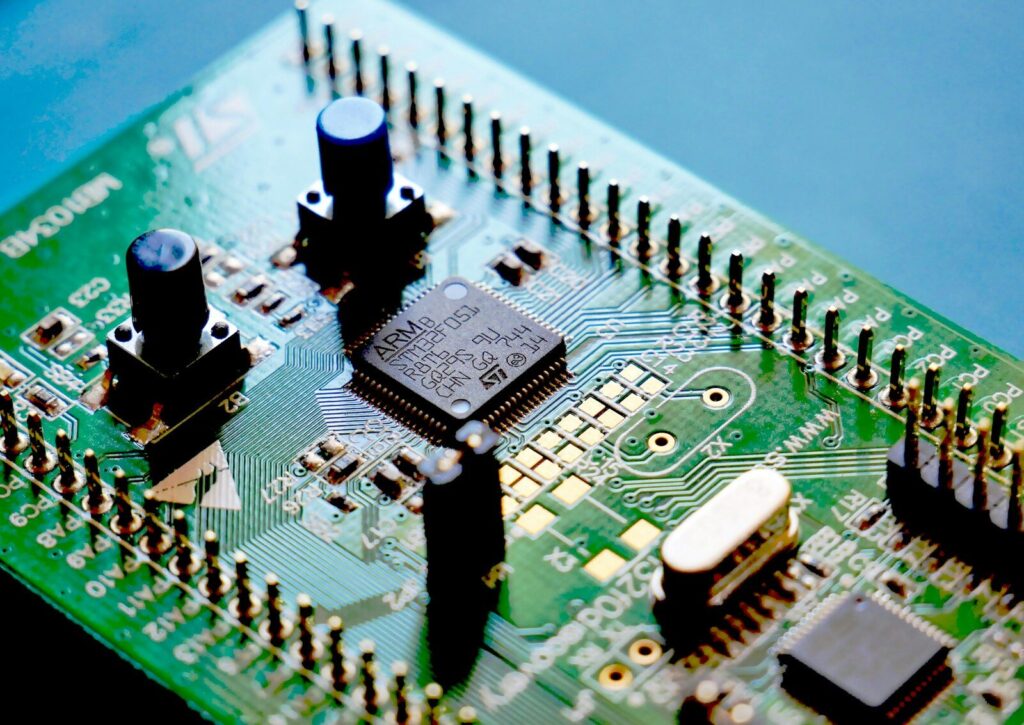
Selection starts with the electrical requirement and moves outward: confirm the part meets the circuit’s voltage, current, and tolerance needs with margin, then narrow by package and manufacturability, then check thermal and environmental conditions, and only then settle the part number based on availability and cost. Availability deserves attention early, because a part that’s technically correct but out of stock blocks the whole build.
| Selection factor | What to check | Why it matters |
| Electrical margin | Voltage rating, current rating, tolerance, temperature coefficient | A part rated at its operating limit will drift or fail early. |
| Package and footprint | Land pattern match, clearance to adjacent parts, placement feasibility | Wrong footprint equals solder defects regardless of process quality. |
| Thermal behavior | Power dissipation, thermal resistance, airflow at the mounting location | Heat shortens life for electrolytic capacitors and power semiconductors. |
| Environmental durability | Operating temperature range, humidity, vibration, coating compatibility | Automotive, industrial, and outdoor products face harsher conditions. |
| Availability and lifecycle | Stock levels, lead time, multi-source options, end-of-life notices | A last-time buy on a discontinued part can force a redesign. |
| Compliance | RoHS, REACH, and any sector-specific requirements | Market access depends on it, and retrofitting compliance is expensive. |
Two factors deserve more weight than they usually get. Lead time is not a purchasing problem that appears late; it’s a design constraint. A part with a 20-week lead time changes the production schedule for the entire product. And thermal behavior compounds quietly. An electrolytic capacitor running 10 degrees hotter than its rating loses life at roughly half the rated interval, so placement near a heat source can shorten the board’s service life even when every individual part is correctly specified.
Specifying components for a production build
Component selection is a design decision, a sourcing decision, and a quality decision at the same time, which is why the bill of materials ends up carrying consequences far beyond the schematic. Working with printed circuit board manufacturers that review the bill of materials before quoting catches footprint mismatches, unavailable package options, and design rules that the fabrication process cannot hold, while the fix is still a line edit rather than a redesign.
If you’re preparing a new board and want the component specification, sourcing, and assembly handled against one bill of materials, send the design files and target volumes through the contact page. The review covers footprint compatibility, substitution options for constrained parts, and any packaging changes needed to support printed circuit board assembly on your line.
FAQ
What component protects a circuit from reverse polarity?
Several options exist, and the right one depends on the current level and how much voltage loss is acceptable. A series diode blocks reverse current but drops roughly 0.7 volts in normal operation. A Schottky diode cuts that drop to around 0.3 volts, which matters on low-voltage rails.
How many components does a typical circuit board have?
The range is enormous. A simple control board might carry 30 to 50 parts, mostly passives with a handful of connectors and one microcontroller. A dense computing or communication board can hold 1,000 or more. Component count doesn’t track complexity directly, because a single IC can replace hundreds of discrete parts that would have been needed decades ago.
Why do capacitors fail before other components?
Electrolytic capacitors contain a liquid or gel electrolyte that evaporates over time, and the rate speeds up sharply as temperature rises. Every 10-degree increase in operating temperature roughly halves the expected life. Heat from adjacent power components, poor airflow, and continuous ripple current all accelerate the process.