A working breadboard proves a circuit. It says nothing about whether that circuit can be built as a board, assembled at volume, or tested on a production line. Between the two sits printed circuit board design, and the gap is filled with rules: conductors wide enough to carry current without cooking, spacing a fabricator can actually etch, return paths that keep noise out of sensitive traces, and a file set a factory can read without asking questions. A PCB Assembly Design Guide is one way to see those rules from the assembly side, where component spacing, polarity marking, and thermal relief decide whether a line runs smoothly or stalls on rework.
Designing a PCB means turning a circuit’s electrical intent into a physical stack of copper and dielectric, then proving that stack can be fabricated, assembled, and tested inside the limits of a real production process. The schematic defines what connects to what, the layout decides how well it works, and the output files decide whether it can be built at all.
This guide follows that work in the order it actually happens, from requirements and schematic capture through stack-up, placement, routing, and the checks that catch problems before the board is etched.

What designing a PCB involves
Designing a PCB is two jobs that need different habits of mind. The first is electrical: choosing a stack-up, controlling impedance, and giving every current a short path back to its source. The second is physical: fitting parts into a fixed outline, keeping them where placement equipment and a soldering profile can handle them, and leaving copper where heat has to go.
Most newcomers treat the second job as an afterthought, and that is usually why a board that simulates perfectly arrives with solder bridges, drift on an analog input, or a regulator running hot enough to shorten its own life. Printed circuit board design rewards people who fix constraints first and draw geometry second.
What a printed circuit board (PCB) is made of
Every board is a laminate, not a single sheet. Four layers of meaning stack on top of each other.
- Substrate. The insulating base, most often FR-4, is a woven glass fabric bonded with epoxy. It carries the mechanical load and sets the dielectric constant that impedance calculations depend on.
- Copper. Foil laminated to one or both faces of each core, then etched into traces, pads, and planes. Copper weight is quoted in ounces per square foot, and it decides how much current a trace can carry.
- Solder mask. The coating that covers traces and opens only at the pads, keeping solder away from everything it should not touch.
- Silkscreen. The printed legend that marks reference designators, polarity, pin 1 position, and board revision.
Which printed circuit board material you choose, and how thick each dielectric layer is, matters more than most beginners expect. A lossy laminate will not rescue a badly routed high-speed interface, and a signal layer sitting close to its reference plane behaves differently from the same routing on a thicker dielectric.
Is designing a PCB hard?
Drawing a two-layer board for a microcontroller and a few sensors is a weekend skill. Making that same board pass electromagnetic compatibility testing, survive temperature cycling, and assemble without rework is a profession. The difficulty comes from the constraints, not from the drawing.
The work shifts as the board gets more demanding.
| Board type | Main difficulty | What it demands |
|---|---|---|
| Two-layer, low speed | Placement and a clean ground return | Schematic reading, footprint verification |
| Four-layer digital | Stack-up order, continuous reference planes, decoupling | Return current behavior, plane planning |
| High-speed interfaces | Controlled impedance, length matching, via transitions | Transmission line reasoning, field solving |
| RF and antenna sections | Keep-out zones, matching networks, isolation from digital noise | RF layout practice and measurement |
| HDI and fine pitch | Microvias, via-in-pad, tight assembly tolerances | Fabricator capability knowledge, stack-up planning |
The first row is learnable from documentation. The rows beneath it are learnable from failures. Designing a PCB does not require a degree, but it does require accepting that a respun board is normal and that the cost of a respin falls the earlier you catch the problem.
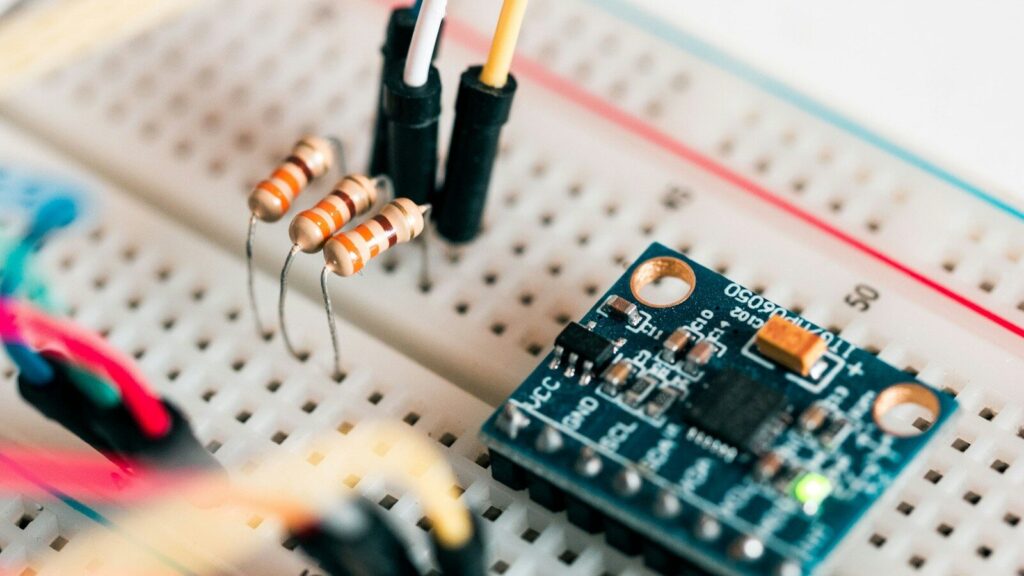
How to start designing a PCB
Start by writing down what the board must do before you open any software: what powers it, what runs it, what it talks to, every connector and its pinout, how large it can be, and where it will live. That single page decides the regulator, the layer count, and half the placement. Then set up the board and enter your fabricator’s design rules before placing a single part.
Three things have to happen before layout begins, and the order matters.
Write the requirements down before you open the software.
Ten minutes on a plain list removes weeks of rework. Cover the supply (a USB port, a battery, an industrial rail), the controller or main integrated circuit, the interfaces and their protocols, the connectors with their pinouts and orientation, the maximum board outline, the mounting scheme, and the environment. Add the targets you will eventually be measured against: emission limits, temperature range, ingress protection, and starting quantity. The list also tells you which rails you will want to probe during bring-up, which is where test points get designed in rather than soldered on later.
Pick a tool and enter the fabricator’s limits first.
Design rules are not a final checkpoint; they are the starting condition. Before the first component is placed, enter the minimum trace width and spacing, minimum drill diameter, annular ring, allowed board thicknesses, available copper weights, and the surface finish your fabricator supports. Every fabricator publishes these as a capability list, and they differ enough that a layout checked against the wrong limits will be rejected at review or quietly produced out of tolerance. Software that runs electrical rule checks and design rule checks is standard in the category, so the practical question is not whether the tool can check, but whether you entered the right numbers for the checks to compare against.
Start from real parts, not generic symbols.
Every component should be captured three times over: a schematic symbol, a footprint, and an orderable part number. Generic symbols feel faster and cost the time back twice, once when you have to redo the netlist and again when the footprint does not match the land pattern in the datasheet. Check stock, package, and lead pitch before committing. Connectors, crystals, and any footprint you generated by hand deserve the closest look, because a mismatch of half a millimeter can make assembly impossible.
The steps to designing a PCB, in order
The process of designing a PCB follows ten steps, and almost every first-board rework traces back to skipping one of them. Two rules hold the sequence together: design rules are entered before placement, and the schematic is verified before routing starts. Each step has a specific check that either passes or sends you back.
| Step | What you do | The check that saves a respin |
|---|---|---|
| 1. Requirements | Power, controller, interfaces, connectors, size, environment | Can you list every connector and its pinout? |
| 2. Schematic capture | Draw nets with real symbols and power flags. | ERC clean, every power pin on a net |
| 3. Part selection | Confirm stock, price, package, footprint | Footprint matched to the datasheet land pattern |
| 4. Board setup | Layer count, outline, stack-up, fab rules | Rules entered before the first part is placed |
| 5. Placement | Group by function, decoupling at pins, connectors at the edge | Every IC’s decoupling within millimeters of its pin |
| 6. Routing | Power wide and first, then signals over solid ground. | No return path break under a critical trace |
| 7. DRC | Run against the fabricator’s real limits. | Zero errors and understood warnings |
| 8. Silkscreen and 3D | Reference designators, polarity, pin 1, version | No collisions visible in the 3D view |
| 9. Outputs | Gerber, drill, bill of materials, pick-and-place | Gerbers reviewed layer by layer in a viewer. |
| 10. Order and bring-up | Fabricate and assemble, then test. | Rails are correct before powering everything. |
Schematic capture and ERC
Draw the circuit as symbols and nets, using power flags and net labels so long connections do not crisscross the page. Place decoupling capacitors in the schematic next to the pins they serve, not in a block at the corner, because the schematic is the document someone reads during fault finding. When it is finished, run the electrical rule check and resolve what it flags. Unconnected pins and conflicting drivers are the classic first-board defects, and both are cheap to fix here.
Stack-up and printed circuit board material selection
Three properties drive the choice: electrical (dielectric constant and loss), mechanical (glass transition temperature, thermal expansion, and thickness availability), and thermal (how quickly the stack moves heat away from power parts). A four-layer board usually runs signal, ground, power, and signal. The ground plane sits directly under the signal layer to give return currents a short path, and the power plane sits beside the ground plane so the two form a low-impedance pair that helps supply fast switching current. Higher layer counts exist to add reference planes and routing channels, not to make the board look serious.
Placement, routing, and power
Placement determines how hard routing will be, so place first by function and only then by convenience. Keep power conversion away from analog front ends, keep crystals under a short trace length with ground guarding them, put connectors at the board edge, and leave clearance for mounting hardware and enclosure walls. Route power first and wide, then signals. Give every sensitive net a continuous reference plane beneath it, keep via transitions few, and prefer 45-degree bends over acute angles, which trap etchant during fabrication.
DRC, Gerber output, and handoff to printed circuit board manufacturers
Run the design rule check against the fabricator’s published limits rather than a default ruleset, and treat every error as real. Then generate the Gerber set, drill file, bill of materials, and pick-and-place data, and review the Gerbers layer by layer in a viewer before anything is ordered. Manufacturing is where assumptions get expensive, so send the package for a design-for-manufacture review first. Printed circuit board manufacturers see hundreds of layouts a month and will flag a drill aspect ratio or a spacing that your tool considered legal but their process cannot hold.
PCB board design rules that decide whether the board works
Five rules cover the majority of field failures: carry the current, keep the spacing, give the current a return path, decouple at the pin, and control impedance when edges get fast. None of them are optional on a production board, and all of them are harder to retrofit than to design in.
Trace width, current, and spacing
A trace is a resistor with a thermal limit. Push current through one that is too narrow, and it heats, lifts, or fails like a fuse. Width is set from the current, the acceptable temperature rise, the copper weight, and whether the trace is on an outer or inner layer. The generic standard on printed board design, IPC-2221B, is the reference most calculators implement: it defines the conductor current-carrying relationship and the electrical spacing required between conductors at different voltages. Use those charts rather than intuition, then add margin for surge conditions and manufacturing tolerance.
Return paths, ground planes, and decoupling
At high frequency, return current flows in the copper directly beneath the signal trace, not along the path of least resistance. That single fact explains most noise problems. Keep the ground plane continuous under critical nets, and stop splitting it into analog and digital islands unless the design runs at very low frequency or needs galvanic isolation. Place the smallest decoupling capacitor within a millimeter or two of the power pin, connect it with short wide traces or direct vias, and keep the loop between the capacitor, the pin, and the return plane as small as the package allows.
Impedance control once the edges get fast
Once a trace is long relative to the rise time of the signal travelling on it, the trace behaves as a transmission line, and its width, dielectric thickness, and material determine whether energy reflects back into the driver. Impedance targets for differential pairs and single-ended lines are met by designing the stack-up with the fabricator, not by guessing a width. For boards where clock rates, serial links, or radio sections set the rules, the layout constraints belong in the design from the first placement rather than in a review afterwards, which is how high-speed PCB design and manufacturing are normally handled.
The most common mistake when designing a PCB power plane
The most common mistake when designing a PCB power plane is treating it as an area to fill with copper rather than as part of the circuit’s return path. Splitting a plane, or letting a signal cross a split, forces return current to detour around the gap. The loop area grows, and with it radiated emissions, impedance discontinuities, and crosstalk onto neighboring traces.
| Mistake | What it breaks | Fix |
|---|---|---|
| Power plane cut into domains without a return path | Return current detours, loop area radiates | Partition by component placement, bridge splits with stitching vias |
| Signal routed across a plane gap | Impedance discontinuity and reflections | Reroute across solid copper, or stitch the gap under the crossing. |
| Power plane with no adjacent ground plane | High impedance at switching frequencies, voltage droop | Keep a ground plane next to the power plane in the stack-up. |
| A decoupling capacitor placed far from the pin | Trace inductance makes the capacitor ineffective. | Place it within a millimeter or two, short and wide connections. |
| Plane used as a shield without stitching | The plane acts as a slot antenna at higher frequencies. | Stitch the plane to the ground at regular intervals. |
The pattern behind all five is the same. Copper only helps when the current can complete a short loop through it.
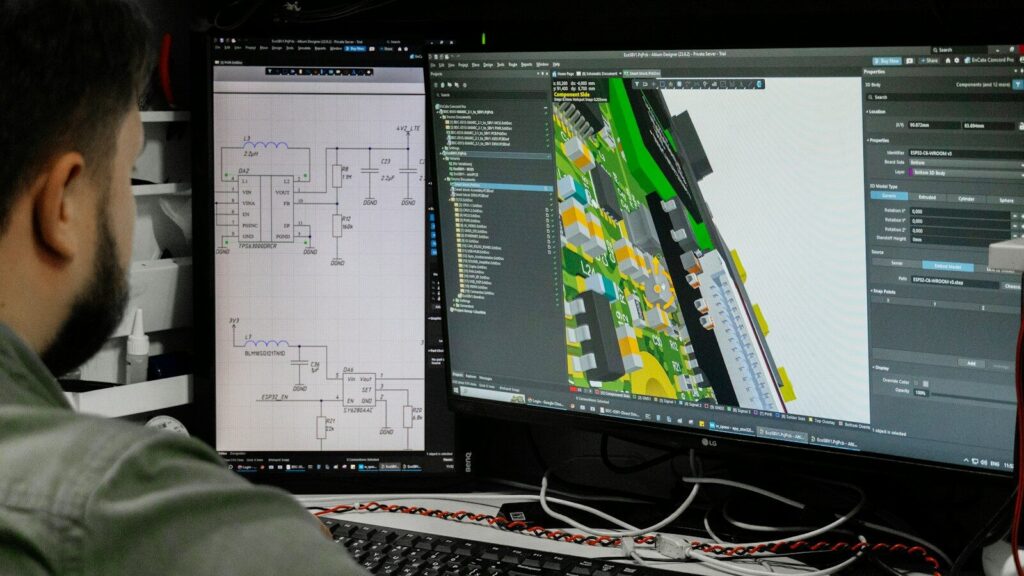
Designing a PCB antenna
Designing a PCB antenna succeeds or fails on the space around it, not on the shape drawn in copper. The antenna needs an edge or corner position, a keep-out zone cleared of copper on every layer, and a reference plane that stays continuous under the feed line. Get those three right and the geometry becomes a matching problem you can solve with components.
Keep-out zone and ground plane rules
Place the antenna at the board edge with the radiating element facing outward, and remove copper, traces, and vias from the keep-out area on all layers. Module vendors commonly specify a keep-out depth on the order of 15 mm for 2.4 GHz designs, and that figure scales with wavelength, so treat the module’s own guidance as authoritative for the part you use. Route fast digital lines, clock traces, and switching regulators as far from the antenna and its feed as the board allows. A via fence along the edge of the ground plane next to the antenna contains energy, but no via or metal belongs inside the keep-out itself, where it will detune the element.
Matching network and first-pass tuning
Keep the feed line short and at the impedance the radio expects, typically 50 ohms, and leave pads for a matching network even if the first prototype tunes out. Those pads cost almost nothing and let you adjust with components instead of revising the antenna geometry. Validate with a network analyzer if one is available, or compare received signal strength against a known-good design. Expect the first antenna board to need a respin; that is normal, and building the matching footprint in is what makes the second attempt cheap.
Tips for designing a PCB
The useful tips for designing a PCB are all versions of the same idea: move every check earlier. Each one below corresponds to an action you can take before the Gerbers are frozen, which is the only moment when a fix is still free.
- Enter the fabricator’s design rules before the first component is placed.
- Give every integrated circuit its own decoupling capacitor, as close to the power pin as the package allows.
- Route power runs first and make them wide enough for the current with margin.
- Keep one continuous ground plane and stop cutting channels through it.
- Add test points to every rail and every interface you intend to probe.
- Use a thermal via array under any part dissipating more than about a watt.
- Space parallel signal traces at roughly three times the trace width to cut coupling.
- Prefer 45-degree bends and never leave acute angles in copper.
- Reserve mounting holes and enclosure clearance before the board outline is final.
- Review the Gerber set layer by layer, then ask the fabricator for a manufacturability check.
Most of these cost nothing at the design stage and a full board revision afterwards, which is the whole argument for spending the extra hour before ordering.
FAQ
Do I need an electronics degree to design a PCB?
No. You need basic circuit theory, the habit of reading datasheets to the end, and working knowledge of one design tool. Boards with microcontrollers, sensors, and low-speed interfaces are within reach of a careful beginner. Boards with controlled impedance, radio sections, or dense fine-pitch packages need experience that only comes from building and testing them.
How many layers should a first PCB have?
Two layers suit simple, low-speed designs where the bottom layer can be devoted mostly to ground. Four layers make sense as soon as a design needs continuous reference planes under fast signals, because the two inner layers provide them without fighting the routing. Let density and signal speed set the layer count, not ambition.
Who should design the board if the project is going into volume production?
The design should be reviewed against the fabricator’s and the assembler’s real capability before the output files are frozen, because their process limits decide whether the layout is buildable at a sensible yield. Many teams hand the layout to a manufacturer that also performs printed circuit board assembly, so design-for-manufacture and design-for-assembly feedback arrives while the design can still change, rather than in a rejection report.