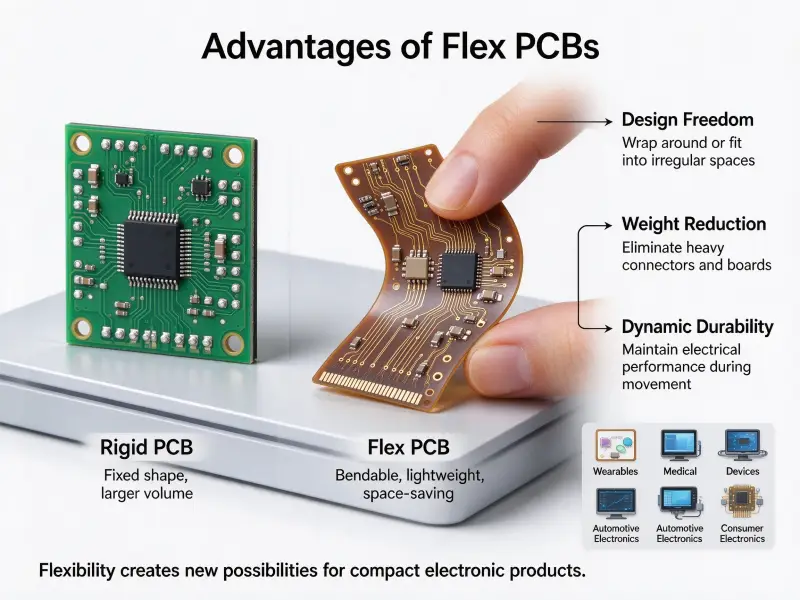
Every modern electronic device, from a household thermostat to a data center server, depends on a flat board that routes electricity where it needs to go. For engineers, procurement teams, and product managers who specify hardware, knowing what actually makes up that board is the difference between a design that ships reliably and one that fails in the field. A printed circuit board (PCB) looks simple at first, but it is a layered composite of carefully chosen materials and etched pathways, each with a specific job.
A PCB is built from five core building blocks: a non-conductive substrate that gives the board its shape, one or more copper layers that carry electrical signals, a solder mask that protects those pathways, a silkscreen that labels them, and the components themselves that perform the actual work. Together these parts turn a flat sheet of material into a functioning electronic system, and understanding each one helps you specify, source, and troubleshoot boards with real confidence.
Below, we walk through every major part of a printed circuit board, explain what it does, and show how the pieces fit together in a finished product. If you are moving from concept to production, working with a partner for custom PCB manufacturing lets these elements be tuned to your electrical, thermal, and mechanical needs instead of left at generic defaults.
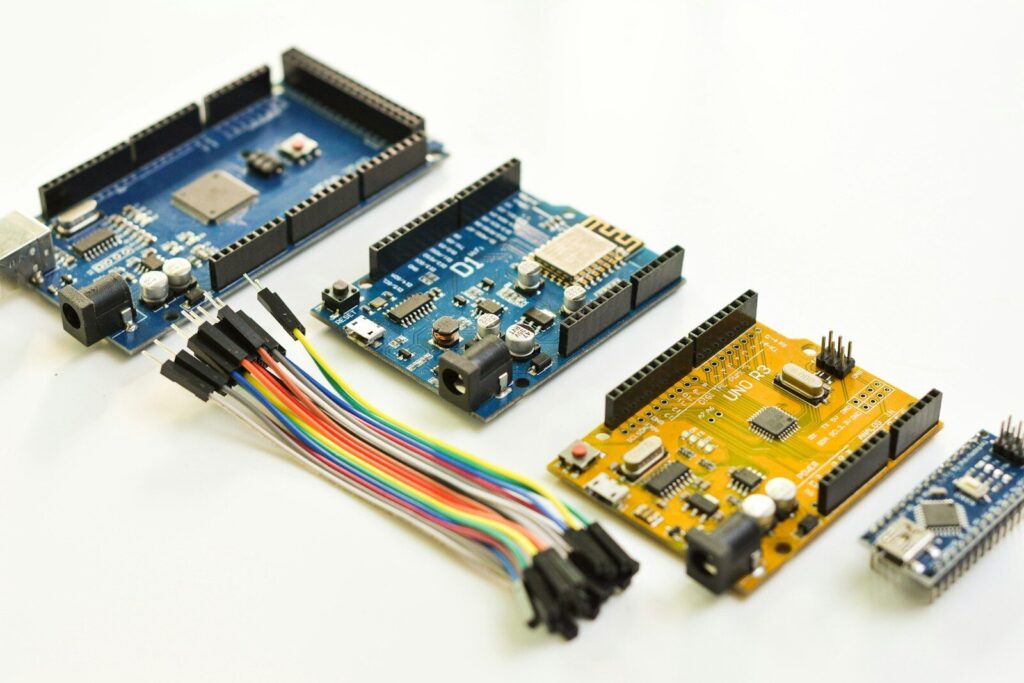
What Are the Main Parts of a PCB?
A finished PCB combines a base substrate, conductive copper circuitry, a protective solder mask, identifying silkscreen markings, and mounted electronic components, with pads, vias, and traces acting as the connective tissue between them.
A printed circuit board is rarely just one thing. It is a stack of materials and features assembled in a precise order. The most useful way to consider it is to separate the passive structure, the board itself, from the active parts, the components mounted on it. The passive structure carries and protects; the components compute, switch, sense, and power.
The core parts you will find on almost every board include:
- The substrate, or base material, that gives the board mechanical strength
- Copper foil layers that form traces, pads, and power planes
- The solder mask that coats and insulates the copper
- The silkscreen that prints reference designators and markings
- Pads and vias that connect layers and components
- The components themselves, from resistors to microcontrollers
A quick way to picture the relationship is to map each function to its physical feature:
| Board Function | Physical Part | What It Provides |
|---|---|---|
| Mechanical base | Substrate | Shape, rigidity, insulation |
| Electrical routing | Copper traces and planes | Signal and power paths |
| Protection | Solder mask | Short prevention, oxidation resistance |
| Identification | Silkscreen | Labels for assembly and repair |
| Interconnection | Pads and vias | Joints and layer transitions |
| Function | Components | Computation, power, sensing |
The Substrate and Base Material
The substrate is the foundation of every PCB, a non-conductive sheet whose material properties determine the board’s strength, heat resistance, and electrical behavior.
The substrate is the part you feel when you pick up a bare board. It is the rigid or flexible base that everything else is built on, and its composition is one of the most important decisions in any printed circuit board material selection. The substrate must hold its shape, resist heat during assembly, and stay electrically quiet so it does not interfere with signals traveling through the copper above it.
Common Substrate Materials
The majority of boards use FR-4, a glass-reinforced epoxy laminate that balances cost, durability, and electrical performance. But FR-4 is only one option, and different applications call for different bases. Choosing the right printed circuit board material early prevents expensive redesigns later.
| Material | Typical Use | Key Property | Relative Cost |
|---|---|---|---|
| FR-4 (fiberglass epoxy) | Consumer and industrial electronics | Good insulation, low cost | Low |
| Polyimide | Flexible and high-temperature boards | Bends without cracking | Medium to high |
| Ceramic | RF, power, and thermal-demanding circuits | Excellent heat conduction | High |
| Metal core (aluminum) | LED lighting and power supplies | Spreads heat away from parts | Medium |
| PTFE (Teflon-based) | High-frequency and microwave systems | Very low signal loss | High |
How Material Choice Affects Performance
Material selection is not just about price. A substrate’s dielectric constant influences how fast signals travel, its thermal conductivity determines how well heat escapes, and its coefficient of expansion affects how a board behaves through repeated heating cycles. A board built for a microwave link will almost never use the same base as a low-cost toy, even if both look similar to the eye. The same is true for flex applications, where polyimide earns its higher cost by surviving constant bending that would crack a rigid laminate.
Conductive Copper Layers and Traces
Copper is the nervous system of the PCB, forming the traces, pads, and planes that carry current and signals between components.
On top of the substrate sits a thin layer of copper foil, and in most boards this foil is patterned into the familiar web of lines you see under the solder mask. These lines are called traces, and they act as wires etched directly into the board. Where a trace needs to move current instead of just signals, it widens into a pour or plane that can handle a heavier load without overheating.
Copper thickness is measured in ounces per square foot, commonly written as copper weight. A 1 oz layer is about 35 micrometers thick, while 2 oz and 3 oz layers are used where higher current must flow. Heavier copper costs more and is harder to etch cleanly, so it is specified only when the design truly needs it. Too little copper, on the other hand, forces narrow traces that heat up and drop voltage under load.
Trace Width and Current Capacity
A trace is only as good as its width relative to the current it carries. If the trace is too narrow for the amperage, it will heat up, droop in voltage, or fail outright. Designers use published charts and field solvers to size traces, balancing available board space against the current each net must handle. This is one place where good printed circuit board design pays off, because a board that is electrically correct on paper still fails if its copper cannot deliver the current the circuit draws in real use.
The Solder Mask and Silkscreen
The solder mask protects the copper from oxidation and accidental shorts, while the silkscreen adds the text and symbols that make a board readable to humans.
The solder mask is the colored coating, usually green but increasingly black, blue, or red, that covers most of the copper. It leaves only the pads and exposed areas open so solder can form joints. Without it, stray solder could bridge two traces and create a short, and the copper would oxidize quickly in storage and use. A quality mask also improves the board’s appearance and makes automated optical inspection more reliable.
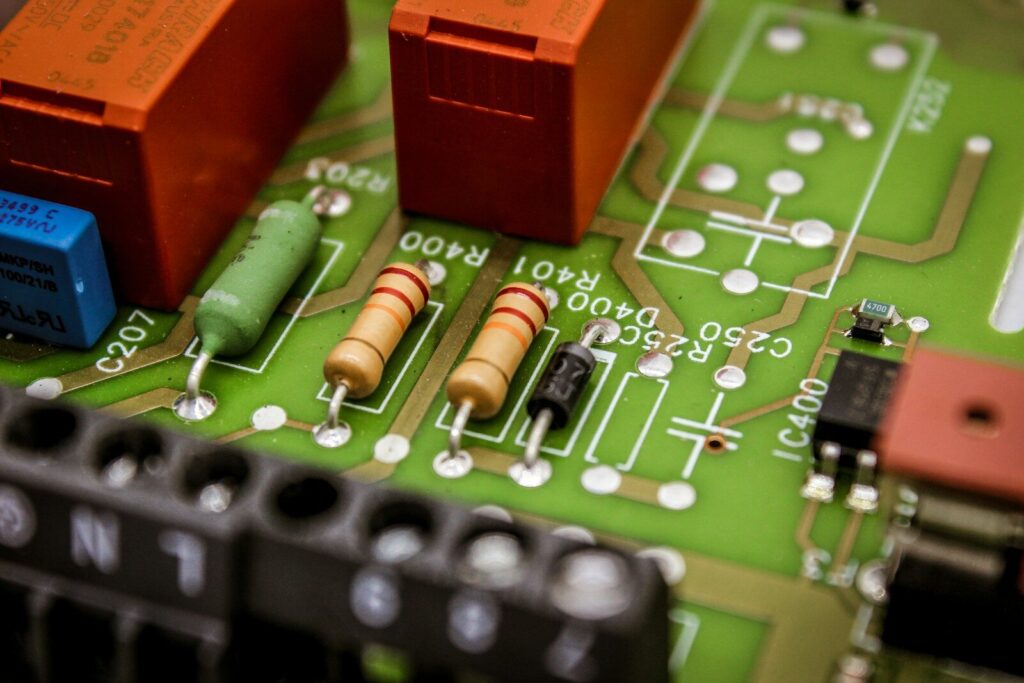
The silkscreen is the layer of white, and sometimes yellow or black, printing on top of the solder mask. It carries component outlines, pin 1 markers, test-point labels, and the reference designators like R1 or U3 that let technicians find parts during assembly and repair. A clear silkscreen reduces assembly errors and speeds up debugging, which matters on dense boards where components sit millimeters apart and a missing label can turn a five-minute fix into an hour of tracing.
Pads, Vias, and Annular Rings
Pads, vias, and annular rings are the small but critical features that connect components to traces and link one layer of the board to another.
Pads are the exposed copper areas where component leads or terminations are soldered. A through-hole pad is a ring around a drilled hole; a surface-mount pad is a flat rectangle or oval with no hole. Vias are plated holes whose only job is to carry a signal or power connection from one layer to another, rather than to hold a component. The annular ring is the remaining copper border around a drilled hole after manufacturing, and its width is a key reliability measure that good printed circuit board manufacturers hold to tight tolerances.
| Feature | Purpose | Common Failure Mode |
|---|---|---|
| Pad | Solder joint for a component | Lifted pad from heat or mechanical stress |
| Via | Layer-to-layer connection | Cracked plating in high-cycle thermal use |
| Annular ring | Margin around a hole | Breakout if too thin, causing an open circuit |
Getting these features right is a matter of manufacturing discipline. Via plating must be continuous and void-free, pads must align with component footprints, and annular rings must stay wide enough to survive drilling variation. These are the details that separate a board that works for years from one that develops intermittent faults.
Through-Hole and Surface-Mount Components
Components attach to a PCB in two main ways: through-hole leads that pass through drilled holes and surface-mount parts that sit directly on pad surfaces, each with distinct trade-offs.
The components are where a board earns its keep. A bare substrate with copper traces is just a puzzle; the parts are the pieces that switch, store, amplify, and sense. How those parts attach shapes the entire manufacturing process and the final reliability of the product.
Through-Hole Technology
Through-hole components have leads that go through the board and are soldered on the opposite side. This style is mechanically strong and easy to inspect, which is why it survives in power supplies, connectors, and equipment that faces vibration or frequent servicing. The trade-off is density: through-hole parts take far more board space than their surface-mount cousins, so they are used where strength matters more than miniaturization.
Surface-Mount Technology
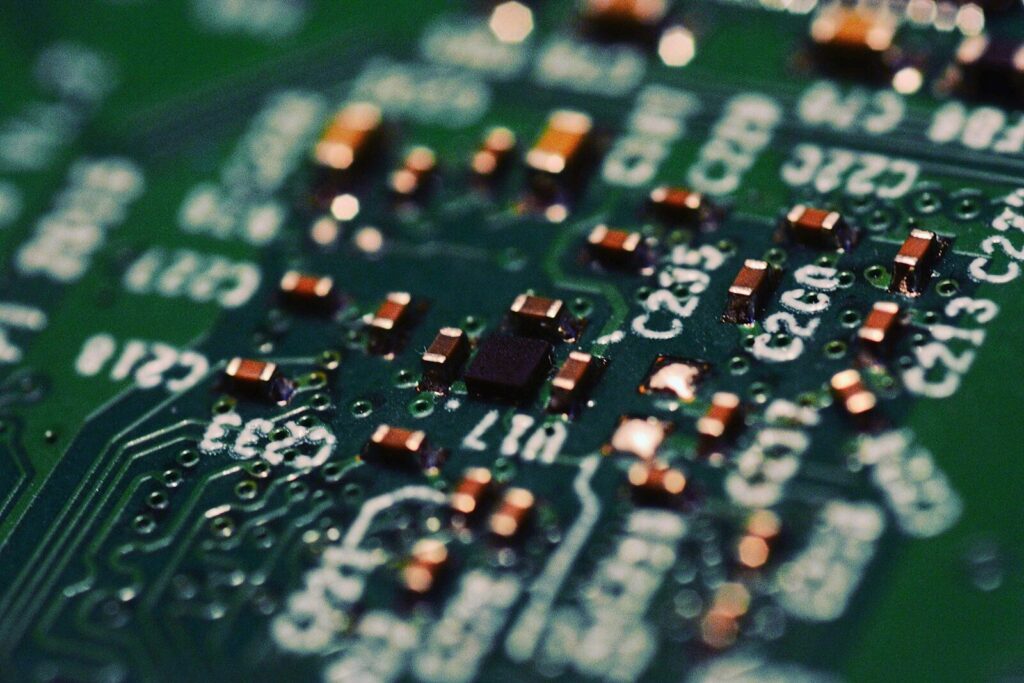
Surface-mount devices, or SMDs, are placed directly onto pads and soldered in place, often by automated equipment in a single reflow pass. They are smaller, cheaper at volume, and allow far denser layouts. Most modern consumer electronics are almost entirely surface-mount. The actual joining of parts to the board is the domain of printed circuit board assembly, where placement accuracy and solder quality decide whether the finished product works on the first power-up rather than after rework.
PCB Layer Stack-Up: Single, Double, and Multilayer
A PCB can have one, two, or many copper layers, and the stack-up you choose sets the limit on routing density, signal integrity, and electromagnetic performance.
Not every board is built the same way. A simple gadget might use a single-sided board with copper on one face, while a complex controller needs a dozen or more layers stacked together. The number of layers is a direct response to how many signals must be routed and how clean those signals must stay.
| Layer Count | Typical Application | Routing Density | Cost Level |
|---|---|---|---|
| Single-sided (1) | Toys, LED strips, simple timers | Very low | Lowest |
| Double-sided (2) | Power boards, basic controllers | Low to moderate | Low |
| Multilayer (4 to 12+) | Phones, computers, industrial control | High to very high | Medium to high |
Why Multilayer Boards Exist
As circuits grow, a two-layer board runs out of room, and signals start interfering with one another. Adding internal layers lets designers dedicate planes to power and ground, shield sensitive nets, and route high-speed lines with controlled impedance. This phase is where printed circuit board design becomes an engineering discipline rather than a wiring exercise, because layer order, spacing, and reference planes determine whether a gigabit signal arrives intact or collapses into noise.
How the Parts Work Together in a Finished Board
In a working board, the substrate holds the structure, copper moves the signals, the mask and silkscreen protect and label it, and the components perform the function, all joined through pads and vias into one system.
A PCB is more than the sum of its parts because those parts interact with each other. A fast signal on a thin trace over a noisy substrate will pick up errors. A heavy component on a thin board can crack solder joints under shock. A poorly placed via can block a critical route and force a redesign. Good boards come from treating the parts as a system, not a checklist, and from reviewing the design with manufacturing in mind before any material is cut.
This is also where sourcing matters. Reliable electronic component sourcing ensures the parts mounted on the board are genuine and matched to the design, because a counterfeited or out-of-spec part can undermine even a perfectly fabricated substrate. Pairing a sound design with trustworthy parts and disciplined printed circuit board assembly is what turns a drawing into a product that survives its warranty period and beyond.
Choosing the Right Board for Your Application
The right PCB matches its substrate, layer count, and component strategy to the product’s electrical, thermal, and cost targets, and the safest path is to review the design with an experienced manufacturing partner before tooling begins.
Selecting parts and specs for a new product requires careful trade-offs. A medical device may demand ceramic or high-reliability bases and conservative spacing; a high-volume consumer remote wants the cheapest FR-4 that meets the spec. The key is to decide early what the board must survive, then let those requirements drive material, copper weight, and layer choices rather than letting habit decide. Working with printed circuit board manufacturers who review designs early catches problems when they are cheap to fix.
When you’re ready to move from design to production, the most efficient step is to share your files and requirements with a team that can review them for manufacturability. Small changes caught before fabrication, such as widening a tight trace or shifting a via, save far more than they cost. If your project is at that stage, you can request a custom PCB quote and get feedback on stack-up, material, and assembly options before committing to a build.
Frequently Asked Questions
What is the difference between a PCB and a PCBA?
A PCB is the bare board with substrate and copper circuitry but no components mounted. A PCBA, short for printed circuit board assembly, is that same board after components have been placed and soldered, so it is a finished, functional module rather than a blank substrate.
Can a PCB work without a solder mask?
It can work without a solder mask, but it should not be used that way in production. A board without a solder mask is exposed to oxidation and can easily short out from stray solder or debris. Solder mask is standard because it protects the copper and prevents accidental bridges during assembly, and it also makes automated inspection far more reliable.
How many layers can a PCB have?
Practical commercial boards range from a single layer to more than twenty, with four to eight layers being common in advanced consumer and industrial products. The limit is driven by cost and yield rather than physics, since each added layer increases fabrication complexity and the chance of internal defects.